6 / 17
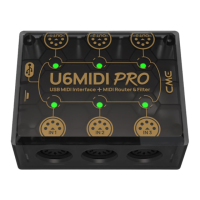
name will be followed by the port number 0/1/2 or 1/2/3,
and the words IN/OUT.
- When used as a standalone MIDI router and filter without
computer, connect this interface to a standard USB
charger or power bank through the matching USB cable to
start using the interface.
2. Button
- With the power on, quickly press the button, and the
U6MIDI Pro will send "all notes off" messages of all 16 MIDI
channels per output ports. This will eliminate unexpected
long notes from external devices.
- In the power-on state, press and hold the button for more
than 5 seconds and then release, the U6MIDI Pro will be
reset to the factory default state.
3. MIDI Input 1/2/3 Ports
These three ports are used to receive MIDI messages from
external MIDI devices.
Note: Depending on the user's settings for MIDI routing, the interface
may need to route incoming information to multiple designated USB
ports and/or MIDI output ports. If information needs to be forwarded to
more than two ports at the same time, the interface will automatically
replicate the complete information for the different ports.
4. MIDI Output 1/2/3 Ports
These three ports are used to send MIDI messages to external
MIDI devices.
Note: Depending on the user's MIDI routing settings, the interface may


 To Next Page
 Loading...