32802000102 Specifications subject to change without notice. 9
Self Clean Mode
Airborne bacteria can grow in the moisture that condenses around
the unit’s heat exchanger. With regular use, most of this moisture is
evaporated from the unit.
Press SET until the SELF CLEAN icon is displayed on the
remote control, then push Up or Down to activate. Under this
function, the air conditioner automatically cleans and dries the
evaporator coil. The cleaning cycle takes 30 minutes, after which the
unit turns off automatically.
Press SLC on the middle of the cycle to cancel the operation and
turn the unit off. This function can be activated only on COOL or
DRY mode.
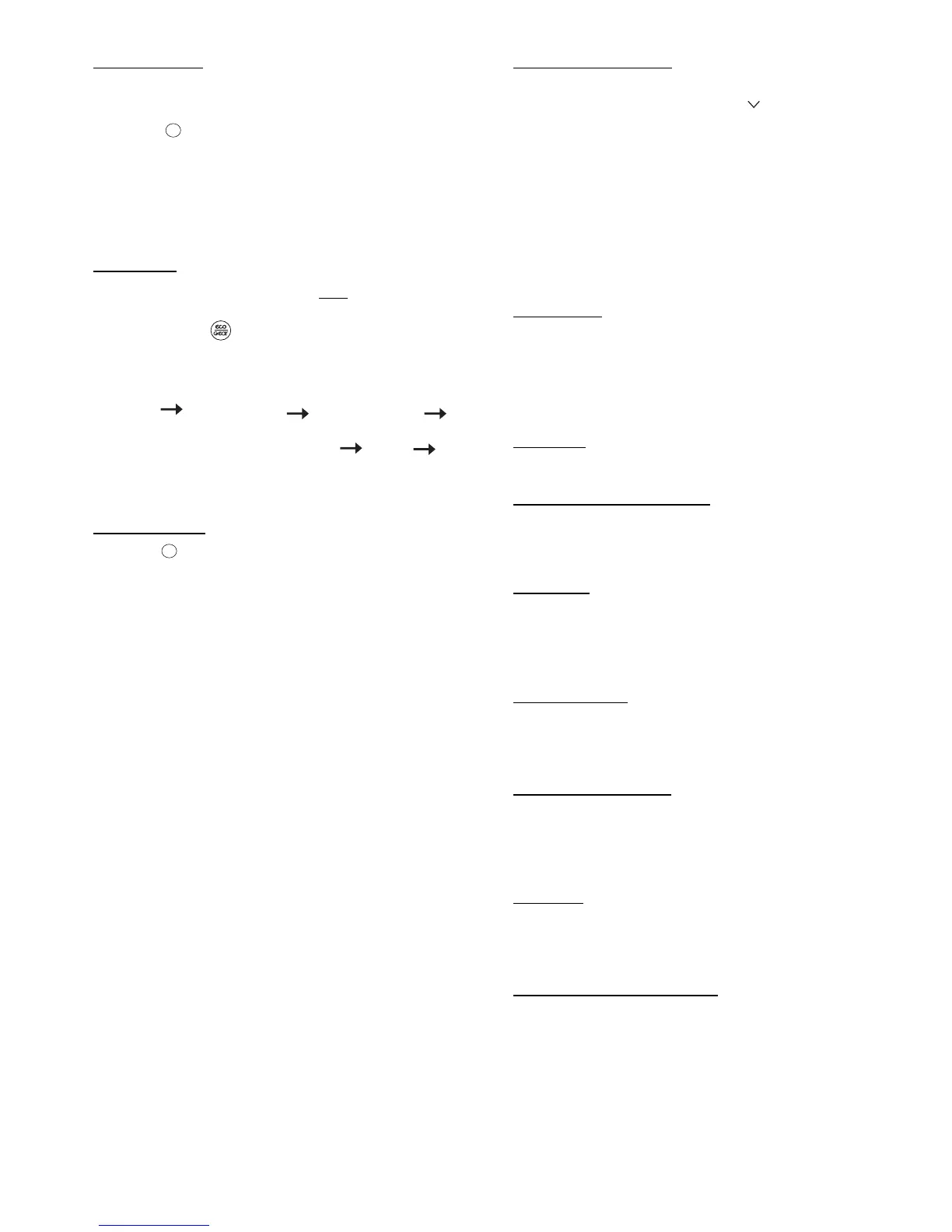
ECO/GEAR
NOTE: This function in available only under the COOL
mode.
Press ECO/GEAR to enter the energy efficient mode in the
following sequence.
Fig. 10 —ECO/Gear Sequence
Follow Me Mode
Press SET until the FOLLOW ME icon appears on the remote
control, then push and to activate or deactivate this function.
Under this setting, the temperature that appears in the remote
control is the actual temperature at its location.
The remote control sends this signal to the air conditioner every 3
minutes. This function is not available for DRY and FAN modes.
This function can also be deactivated if:
1. No FOLLOW ME signal is received by the unit for continuous 7
minutes.
2. Users adjust the operation mode
3. Users turn off the unit
4. Users turn off the FOLLOW ME function
NOTE: If FOLLOW ME is used with the wireless remote
controller, ensure that the remote’s IR sender is within
line-of-sight of the IR receiver of the unit and is within the
maximum range of 25 feet of the indoor unit. If FOLLOW
ME is de-activated by pressing MODE, OFF or
FOLLOW ME on the remote, the icon on the remote will
turn off.
Freeze Protection Mode
When the air conditioner operates under the HEATING mode with
the set temperature of 60°F (16°C), press twice in two seconds to
activate the 46°F (8°C) heating function (heating set back). The unit
operates at a set temperature of 46°F (8°C).
The indoor unit display shows FP. No icon will be displayed on the
remote control.
NOTE: This function is only available in the heating
mode.
Under this function, the unit operates at high fan speed and the coil
temperature automatically sets to 46°F (8°C). This mode can also be
deactivated by pressing “On/Off”, “Sleep”, “Mode”, “Fan”, or
either “TEMP”.
Silence Mode
Hold down Fan Speed button (-) for 2 seconds to activate or
deactivate the SILENCE Mode. Under this function, the
compressor operates at low frequency and the indoor unit produces a
faint breeze, which reduces the noise to the lowest level. Due to low
the frequency operation of the compressor, it may result in
insufficient cooling and heating capacity.
LED Light
Press LED/BUZZER to turn the display light on and off.
Resetting the Remote Control
If the batteries in the remote control are removed, the current
settings will be canceled and the control returns to the initial settings
and will be in standby mode. Push ON/OFF to activate.
Time Delay
If ON/OFF is pressed too soon after a stop, the compressor will not
start for 3 to 4 minutes due to the inherent protection against
frequent compressor cycling. The unit only emits an audible beep
when the signals are received correctly.
Heating Features
If the unit is in the HEATING mode, there is a delay when the fan
starts. The fan starts only after the coil is warmed up to prevent cold
blow.
Auto Defrost Operation
In the HEATING mode, if the outdoor coil is frosted, the indoor fan
and outdoor fan turns off while the system removes the frost on the
outdoor coil. The system automatically reverts to normal operation
when frost is removed from the outdoor unit.
Auto Start
If the power fails while the unit is operating, the unit stores the
operating condition, and it will start operation automatically under
those conditions when the power is restored.
Refrigerant Leakage Detection
The indoor unit displays “EC” when it detects a refrigerant leak.
Previous setting mode ECO ......


 To Next Page
 Loading...