C11G (Rev.8.2) User Manual
Revision: 01/27/2010 http://cnc4pc.com/TechDocs/C11GR8_2_User_Manual.pdf 9/21
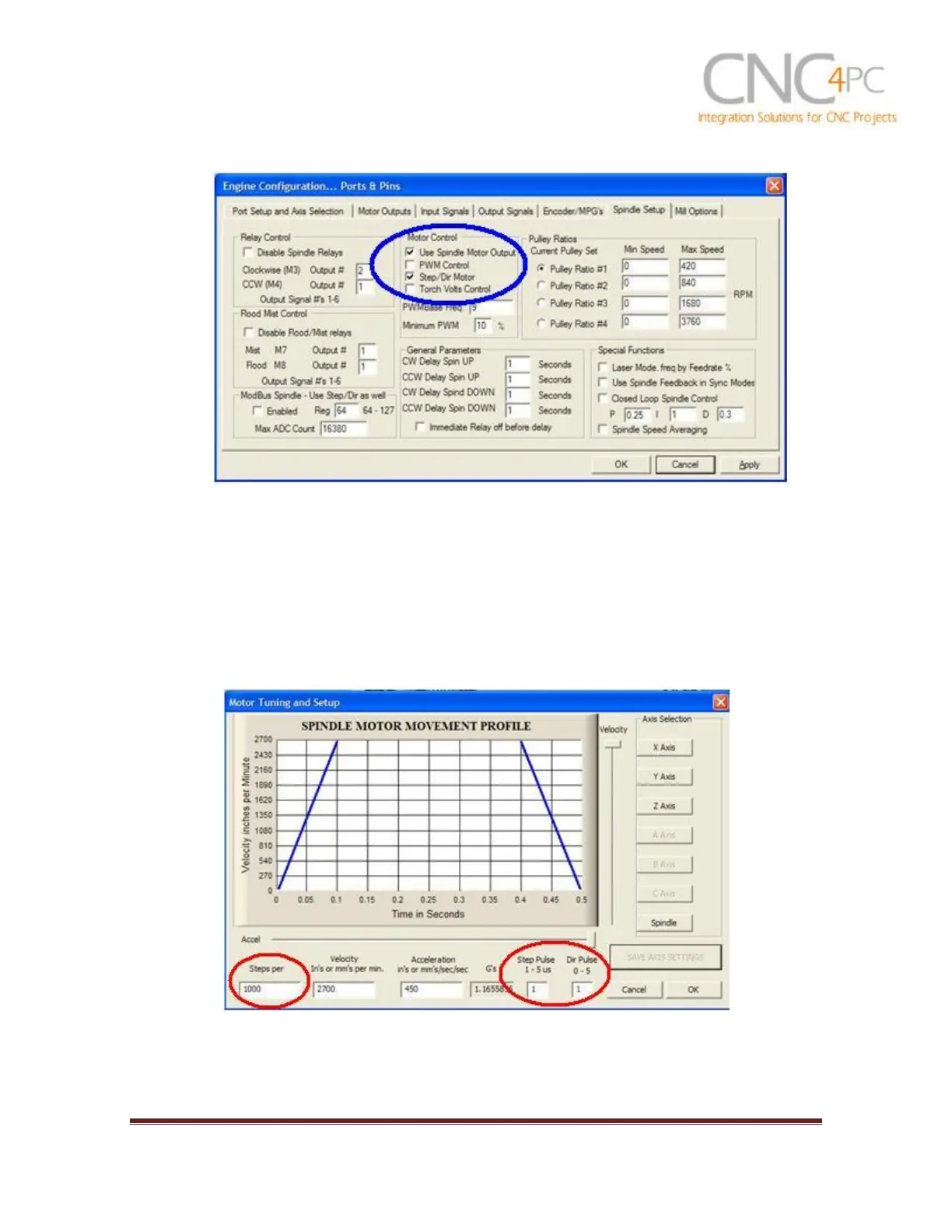
Fig. 5. Spindle Setup screenshot.
3. Go to Config / Motor Tuning / Spindle. On Steps per unit put 1,000, set velocity to
maximum. For Acceleration, choose the acceleration that you feel comfortable
with. Start slow, increase acceleration as you test your system. Under Step Pulse
length, use a number from 3 to 5, but start with 3. This number is directly
proportional to the final voltage you will get in the analog output. Use this number
and the fine tuning pot to adjust the voltage you want to get at max speed.
Fig. 6. Motor Tuning and Setup screenshot.



 To Next Page