Equipment and accessories
20
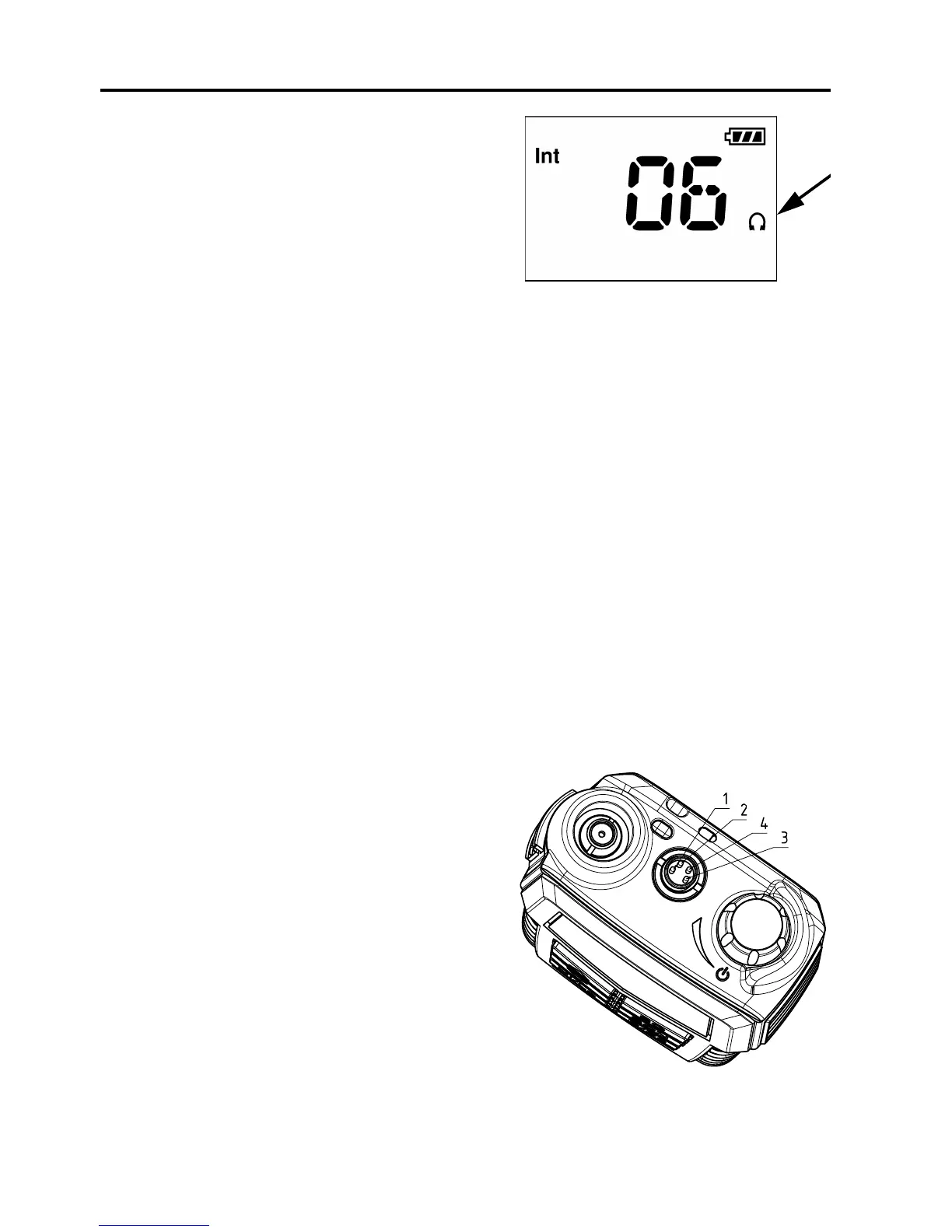
When external equipment is connected
to the radio, the right side of the display
will show a headset.
Impact on radio operation
The external equipment can have a
built-in PTT button, speaker and microphone. Thus a connection has per
default the following impact on the radio operation:
• If a speaker or earpiece is built into the detected external equipment,
the sound device of the external equipment is used, and the internal
radio speaker is disabled.
• The external accessory microphone is selected as audio input device,
when the external PTT button is pressed. The transceiver microphone
is used as audio input device when the transceiver PTT button is
pressed.
• This behaviour can be changed in the service tool.
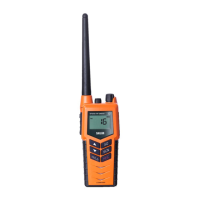
Accessorie connector
Pin 1. Loudspeaker,
minimum 8 ohm impedance.
Pin 2. Accessory power,
5V maximum 0.03A.
Pin 3. Microphone input,
Ri = 2.2kohm, 3V phantom power.
Pin 4. GND
0945


 To Next Page