EasyManua.ls Logo

Cobra Systems Striker v4.0 - User Manual

Cobra Systems Striker v4.0
16 pages
Print Icon
To Next Page IconTo Next Page
Loading...
User Manual
Version 4.0 (8/2020)
Instantly Print Service Reminder Stickers
Striker v4.0
Service Reminder System
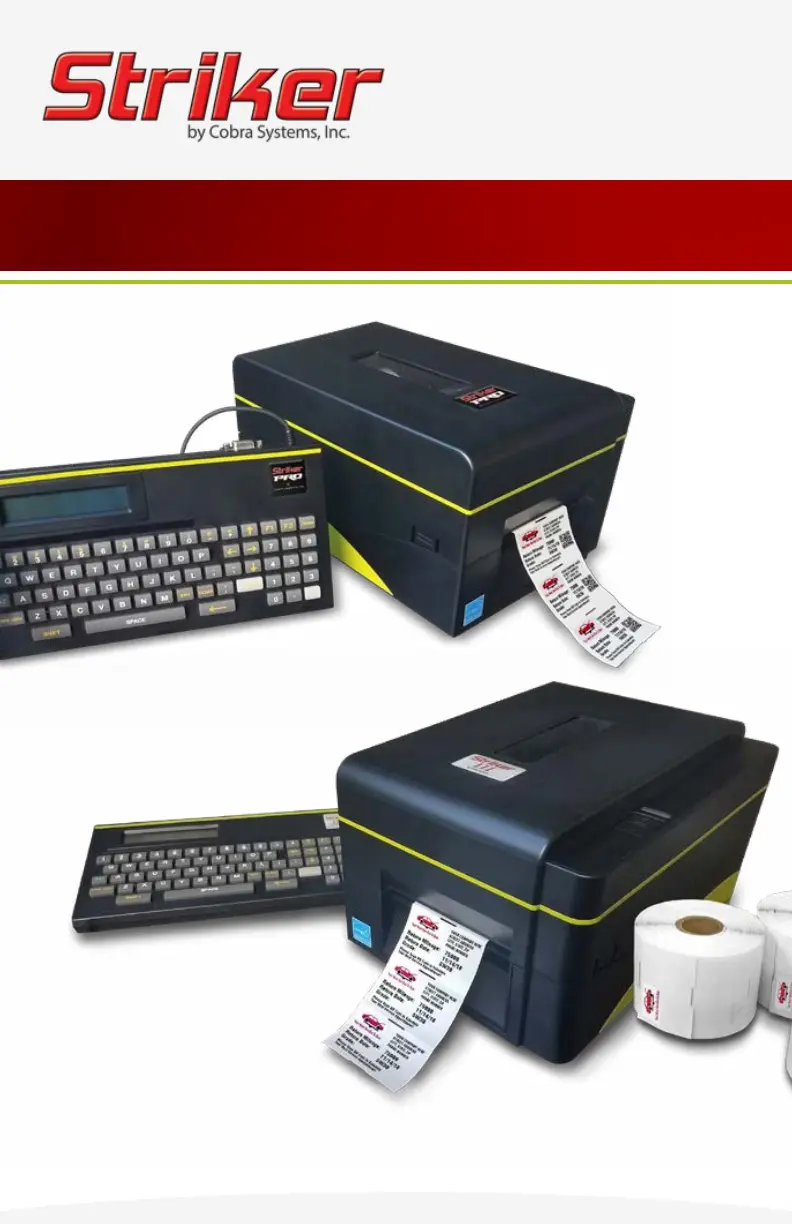
Striker Pro
Striker III
Copyright © 2020 Cobra Systems, Inc. All rights reserved

Questions and Answers

  • A
    Alexander HoweAug 10, 2025
    What to do if two stickers come out when I only need one from my Cobra Systems Striker v4.0 Label Maker?
    • M
      Miss Heather Collins MDAug 11, 2025
      If your Cobra Systems Label Maker is ejecting two stickers when you only need one, it likely needs recalibrating. Turn the printer off. Then, press and hold the pause button while turning the printer back on. When the feeding starts, release the pause button; three to four blank labels will exit the printer. Finally, press the feed button once. If the issue persists, contact Tech Support.
  • A
    Ann RamirezAug 15, 2025
    Why does the red light come on after loading Reminder Stickers in my Cobra Systems Striker v4.0?
    • M
      Michael DixonAug 16, 2025
      The red light on your Cobra Systems Label Maker indicates that the labels are not threaded correctly. To fix this, turn the printer off. Open the printer, release the green ink carriage lever, and remove the Reminder Stickers. Rethread the Stickers under the print sensor chip, below and through the centered green guides. Latch the carriage, close the printer, and then turn it back on. Note the image (a) photo of sensor.
  • B
    brandy61Aug 21, 2025
    How to fix Cobra Systems Label Maker when only half of the label is printing?
    • C
      Collin ReyesAug 21, 2025
      If your Cobra Systems Label Maker is only printing half of the label, it's likely that the ink carriage is latched only on one side. To resolve this, turn the printer off. Ensure the ink carriage is latched on both sides by gently pressing down on each side until you hear a confirming "click".
  • N
    njenkinsAug 25, 2025
    What to do if my Cobra Systems Striker v4.0 is not printing after loading the ink ribbon?
    • E
      Eddie ColeAug 26, 2025
      If your Cobra Systems Label Maker isn't printing after loading the ink ribbon, the ribbon might not be loaded correctly. Turn the printer off. Open the printer and release the green ink carriage lever. Ensure the ink ribbon is loaded correctly, with the dull side showing and the ribbon coming off the top and down the backside of the spool. Latch the carriage, close the printer, and turn it back on.
  • T
    Troy ReillyAug 31, 2025
    Why are stickers and ink ribbon coming out stuck together from my Cobra Systems Striker v4.0 Label Maker?
    • D
      Dana HaleyAug 31, 2025
      If stickers and the ink ribbon are coming out of your Cobra Systems Label Maker stuck together, the printer likely doesn't recognize that the ink ribbon is loaded. To correct this, turn the printer off. Open the printer, release the green ink carriage lever. Remove and reload the ink ribbon, reaching the ribbon to the take-up core. Close the printer before turning it on.
  • K
    kkingSep 4, 2025
    What to do if the keypad on my Cobra Systems Striker v4.0 Label Maker quit working and displays a series of letters and numbers beginning with "KU"?
    • T
      Tara PetersonSep 4, 2025
      Possible loss of program; might be due to power surge. Call the Striker Tech Support line at 800- 262-7298, or your local oil distributor for instructions. Always plug your Reminder Sticker Printer into a SURGE protector (not a power strip) to safeguard against power surges, which may void your warranty.

Cobra Systems Striker v4.0 Specifications

General IconGeneral
Print TechnologyThermal Transfer
Print Resolution203 dpi
Label Width0.5 to 4.25 inches
Supported Operating SystemsWindows, macOS, Linux
ConnectivityUSB, Ethernet
Supported Barcode TypesCode 39, Code 128, UPC-A, UPC-E, EAN-8, EAN-13, Interleaved 2 of 5, QR Code, Data Matrix
Power Supply100-240V AC, 50/60Hz

Related product manuals