EasyManua.ls Logo

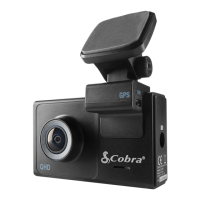
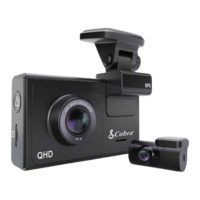
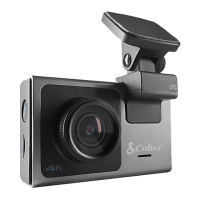
Cobra Drive HD CDR 900 - User Manual

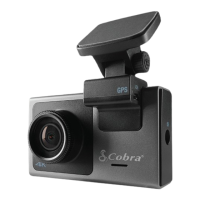
Cobra Drive HD CDR 900
27 pages
Print Icon
To Next Page IconTo Next Page
Loading...
Printed in China
Part No. 480-958-P
Version B
SUPER HD DASH CAM
WITH WI-FI
CDR 900
User Manual
Protect • Re-live • Share
Record Your Ride
D
DA
S
H
C
AM
FI
Y
ou
r Ri
de
Question and Answer IconNeed help?

Do you have a question about the Cobra Drive HD CDR 900 and is the answer not in the manual?

Summary

Product Features

Camera Features

Details the dash cam's video quality, WiFi, viewing angle, and recording modes.

Camera Operation

Recording Modes Explained

Compares and contrasts the Dash Cam and Action Cam recording modes.

Starting and Stopping Video

Step-by-step instructions for powering on and starting/stopping video recording.

Adjusting Camera Settings

Main Menu Settings

Guide to navigating and modifying the camera's main menu options.

Connecting to a Computer

Computer Connection via USB

Steps to connect the camera to a PC via USB for file transfer.

Wireless & APP Operation

Connecting the Camera to the Drive HD App

Outlines the two methods for connecting the CDR 900 to the Drive HD™ app.

Connecting to the Smartphone App

Local Mode Connection

Detailed steps for establishing a local Wi-Fi connection between the camera and smartphone.

Smartphone App Operation

Setup Tab Functions

Details the various settings configurable through the Drive HD™ app's 'Setup' tab.

Cloud Mode Features

Configuring Cloud Mode

Step-by-step guide for setting up cloud connectivity via the app.

Specifications

Troubleshooting

Summary

Product Features

Camera Features

Details the dash cam's video quality, WiFi, viewing angle, and recording modes.

Camera Operation

Recording Modes Explained

Compares and contrasts the Dash Cam and Action Cam recording modes.

Starting and Stopping Video

Step-by-step instructions for powering on and starting/stopping video recording.

Adjusting Camera Settings

Main Menu Settings

Guide to navigating and modifying the camera's main menu options.

Connecting to a Computer

Computer Connection via USB

Steps to connect the camera to a PC via USB for file transfer.

Wireless & APP Operation

Connecting the Camera to the Drive HD App

Outlines the two methods for connecting the CDR 900 to the Drive HD™ app.

Connecting to the Smartphone App

Local Mode Connection

Detailed steps for establishing a local Wi-Fi connection between the camera and smartphone.

Smartphone App Operation

Setup Tab Functions

Details the various settings configurable through the Drive HD™ app's 'Setup' tab.

Cloud Mode Features

Configuring Cloud Mode

Step-by-step guide for setting up cloud connectivity via the app.

Specifications

Troubleshooting

Cobra Drive HD CDR 900 Specifications

General IconGeneral
BrandCobra
ModelDrive HD CDR 900
CategoryDash Cameras
LanguageEnglish

Related product manuals