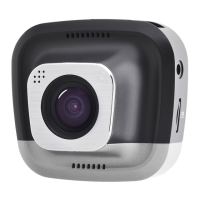
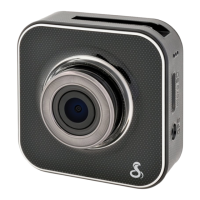
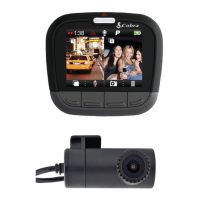
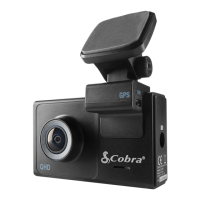
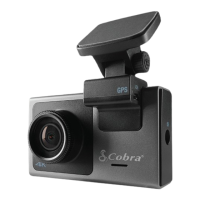
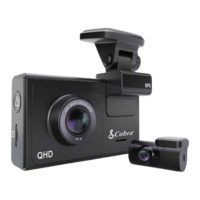
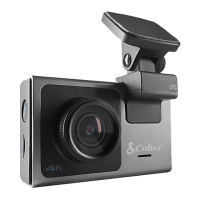
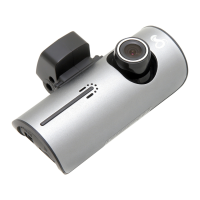
This document describes the Cobra Drive HD Dash Cam, a series of in-vehicle cameras designed to continuously record video of the road. The manual covers five models: CDR835, CDR855BT, CDR875G, CDR895D, and CDR905DBT, which share a common video platform with varying add-on features.
Function Description:
The Cobra Drive HD Dash Cams are primarily designed to provide peace of mind by recording driving footage. They automatically start recording when power is applied and shut down 30 seconds after power is removed. The devices record in 1080P Full HD, offering excellent image quality, nighttime performance, and advanced dynamic range. Key features include continuous loop recording, emergency recording (automatic or manual), a G-Sensor for impact detection, and parking mode for recording motion when parked. Some models also offer dual camera functionality, GPS for embedding location and speed data, and Bluetooth® wireless technology for smartphone integration with the Cobra iRadar® app.
Important Technical Specifications:
- Video Resolution: All models record in 1080P Full HD (1920x1080 at 30 Frames per Second). Some models also offer 720P HD at 60fps or 30fps. Dual camera models (CDR895D, CDR905DBT) have a Cam1 resolution of 1080P 30fps and Cam2 resolution of 720P 30fps.
- Image Sensor: CDR835, CDR855BT, CDR875G use a 2.1MP CMOS (OV2710) sensor. CDR895D and CDR905DBT use a 4MP CMOS (OV4689) sensor.
- Lens: All models feature a 7 Layer Glass Lens.
- Viewing Angle: Front camera offers a 160° viewing angle. Dual camera models (CDR895D, CDR905DBT) also have a Rear camera with a 130° viewing angle.
- LCD Screen: All models feature a 2.0" LCD display for video playback.
- Media Supported: Micro SD Card. CDR835, CDR855BT, CDR875G include an 8GB card (supports up to 32GB Max). CDR895D and CDR905DBT include a 16GB card (supports up to 64GB Max).
- Battery: Built-in Lithium Ion Battery, providing up to 30 minutes of recording if power is lost.
- Connectivity: Micro USB port for power and computer connection, HDMI output for TV/monitor connection.
- GPS: Optional for CDR835, CDR855BT. Standard for CDR875G. Via Bluetooth for CDR855BT, CDR905DBT.
- Bluetooth: CDR855BT, CDR875G, CDR905DBT models include Bluetooth® Wireless Technology for iRadar app connection.
- Supported Languages: English, Spanish, French, German, Dutch, Portuguese, Russian, Chinese (traditional), Chinese (simplified).
Usage Features:
- Simple Installation: Mounts on the windshield with a suction cup, includes a MicroSD card and vehicle power adapter for out-of-the-box readiness.
- Continuous Loop Recording: Records footage in 3, 5, or 10-minute clips. Oldest segments are automatically deleted when the memory card fills.
- Emergency Recording: Automatically or manually protects clips from being overwritten. Triggered by button press or G-Sensor impact detection. Adjacent clips (within 30 seconds) are also locked.
- G-Sensor: 3-axis accelerometer detects sudden accelerations, stops, and collisions, automatically protecting surrounding footage. Sensitivity can be adjusted (Levels 1-3) or turned off.
- Parking Mode: Records video only when motion is detected, helpful for vehicles with always-on accessory ports or hardwired units. Timeout settings of 5 or 10 minutes.
- Dynamic Range: Optimized for maximum video clarity in daylight or nighttime conditions.
- SnapShot: Button to capture still images (.JPEG files) at any time.
- Action Cam Mode: Disables loop recording and G-Sensor, allowing for continuous recording until manually stopped or the SD card is full, without overwriting.
- Built-in Microphone & Speaker: Records and plays back audio with video. Microphone can be toggled off.
- Auto-Record and Auto-Power Off: Automatically starts recording when powered on and shuts down 30 seconds after power is removed.
- Screen Saver: Turns off the screen after a set time of no activity to prevent driver distraction, while continuing to record.
- Volume Adjust: 5 volume settings and mute option.
- Dual Camera Models (CDR895D, CDR905DBT): Support two cameras, with options to flip Cam2 video vertically (Flip Cam2) or horizontally (Mirror Cam2) for correct display and recording based on mounting orientation.
- Lane Departure Warning System (LDWS) (Dual Camera Models Only): Provides audible and visual warnings when approaching a lane boundary. Relies on video analysis and works best on clearly marked roads with good visibility. For informational purposes only.
- Frontal Collision Warning System (FCWS) (Dual Camera Models Only): Provides audible and visual warnings when quickly approaching an obstacle. Requires external GPS connection and operates only above 35MPH. Relies on video analysis and works best with good visibility. For informational purposes only.
- iRadar App Connection (CDR855BT, CDR875G, CDR905DBT): Connects via Bluetooth® to the Cobra iRadar® smartphone app to embed GPS, Speed, Heading, and G-Sensor information into videos, and display driver awareness alerts (Live Police, Speed Cameras, Red Light Cameras, Caution Areas, Speed Traps) on the dash cam.
- Video and Photo Playback Mode: Allows review of saved videos and photos directly on the device, with options to lock, unlock, or delete files. Fast forward/rewind during video playback.
- Cobra Watermark, Date/Time Stamp: Menu options to customize watermarks and time stamps on saved video files.
- GPS Operation: Embeds GPS, Speed, Heading, and G-Sensor information into video footage. GPS data can be received via the iRadar App or an optional GPS Mount (CA-Mount-002). Automatically updates the unit's clock for accurate time stamps.
- Drive HD Player: Software available for download to view dash cam footage along with embedded GPS and G-Sensor data on a computer.
Maintenance Features:
- Format SD Card: Option to permanently delete all data on the inserted SD card.
- Restore Defaults: Resets the device to factory settings without erasing data on the memory card.
- Firmware Update: Instructions provided for updating the dash cam software via a computer and Micro USB cable, ensuring optimal performance. Updates are downloaded from www.cobra.com.
- Troubleshooting: Basic steps provided for common issues, such as checking power cord connection, cigarette lighter socket cleanliness, and adapter seating. Further FAQs are available on www.cobra.com/support/faqs.

 Need help?
 General

 To Next Page