4
Press the "Power/Mode" button to switch between
Bluetooth®, TF Card Mode, as needed.
• Once the TF card is inserted the LED indicator will flash
red and the user will hear a voice prompt say
"Play by TF Card." Note: TF Mode is only accessible
when an SD card has been inserted into the TF card slot.
After the voice prompt is heard music will automatically
begin playing.
PACKAGE CONTENTS
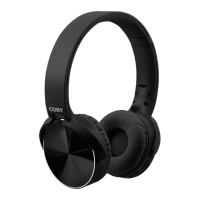
• CHBT-80FD Headphones
• Micro USB Cable
• Manual
• Next song: Press the "Next/Volume Up" button to
play the next song.
• Previous song: Press the "Previous/Volume
Down"button to play the previous song.
• Increase volume: Press and hold the "Next/Volume
Up” button until you reach the desired volume.
• Decrease Volume: Press and hold the “Previous/
Volume Down” button until you reach the desired
volume.
TF CARD MODE


 To Next Page