Charging
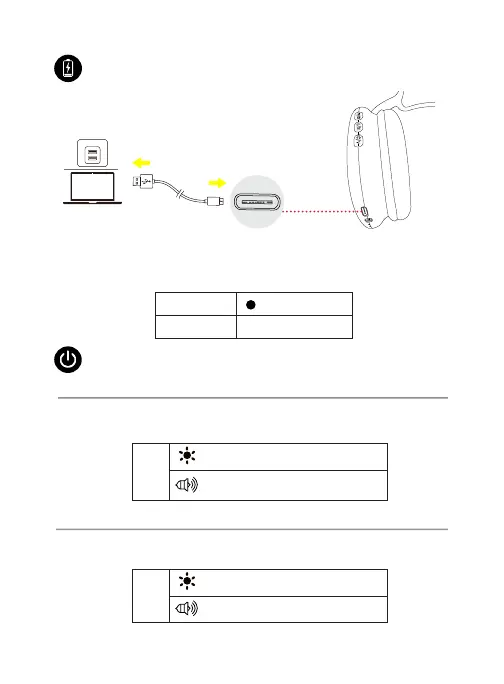
To charge, connect one end of the supplied USB-C charging cable to the
Type-C charging port of the headphone, and connect the other end to a
USB power source, such as your laptop's USB charging port.
EN 2
LED light turns o
Steady red
Charging
Fully charged
Press and hold the “Play/Pause/Power” button for 2 seconds to turn the
headphone on.
Powering on
ON
O
Alternating ashing blue and red
Flashing red three times
Power on tone notication
Power o tone notication
Powering on/o
Press and hold the “Play/Pause/Power” button for 6 seconds to turn the
headphone o.
Powering o


 To Next Page