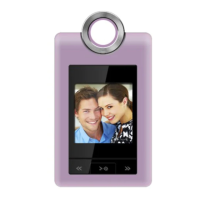
Connect the Coby photo album to a computer with a USB
cable to:
Transfer les to and from your album
Perform basic le management functions.
Connecting to a Computer
Connect the album to your computer with a USB cable.
Upon connection:
Your computer will be detected as a “Removable
Disk” when you open “My Computer”.
It may take your computer several minutes to recog-
nize and set up the device the rst time it is con-
nected depending on your hardware conguration.
Transferring Files
The USB 2.0 Hi-Speed connection makes it easy to trans-
fer music, video, photo, and text les (or any other data)
quickly between the album and your computer. Simply use
the album as you would a oppy disk using basic operat-
ing system commands.
If you need further assistance with transferring les,
please refer to your operating system’s instruction manual
or on-screen help.
USB Connections


 To Next Page