EasyManua.ls Logo

Coby DVD-958 - User Manual

Coby DVD-958
22 pages
Print Icon
To Next Page IconTo Next Page
Loading...
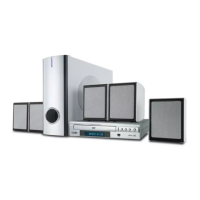
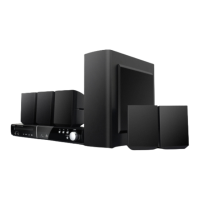
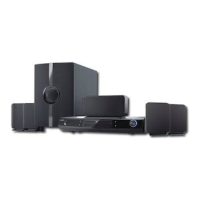
DVD 5.1 HOME THEATER SYSTEM
DVD-958

Questions and Answers

  • C
    Christopher BensonAug 9, 2025
    What to do if my Coby DVD-958 remote control does not function?
    • L
      Leslie RubioAug 9, 2025
      If the remote control isn't working, first ensure that there are batteries installed (two AAA/1.5V batteries). If batteries are already installed, try replacing them with new ones. Also, make sure that you are pointing the remote control directly at the remote sensor on the Coby Home Theater System and that you are within the remote's working range. In some cases, the unit might be shut down. To resolve this, switch off the unit, disconnect it from the AC outlet, and then power it on again.
  • C
    Charles BrownAug 14, 2025
    Why is there no sound coming from my Coby DVD-958 Home Theater System?
    • C
      Casey BaileyAug 14, 2025
      Several factors could be causing the lack of sound. First, ensure that the audio cables are securely connected. Also, check the volume level and increase it if it's set too low. Make sure the system isn't muted by pressing the [MUTE] button on the remote. Finally, if a disc is playing in fast forward or rewind, press [PLAY/PAUSE] to restore normal audio.
  • V
    Vicki AguirreAug 18, 2025
    What to do if my Coby DVD-958 Home Theater System player freezes after inserting a USB drive or memory card?
    • B
      bnelsonAug 18, 2025
      If your Coby Home Theater System freezes when you insert a USB drive or memory card, it's likely that the drive or card isn't compatible with the player. To fix this, turn off the player, unplug it from the power supply, then reconnect it and switch it back on. This should return the player to its normal status.
  • K
    Kelly Tyler DVMAug 23, 2025
    Why is my Coby Home Theater System unable to play a disc?
    • B
      Brittney JenkinsAug 25, 2025
      There are several reasons why your Coby Home Theater System might not be playing a disc. First, ensure that the disc is placed correctly in the disc tray with the label side facing upwards. If the disc's rating is higher than the parental control settings, reset those settings. Also, make sure the disc is clean. The unit might not be compatible with the disc.
  • M
    mooreelizabethAug 29, 2025
    What to do if the picture on my Coby DVD-958 Home Theater System isn't displaying correctly?
    • J
      Jared LopezAug 29, 2025
      If the picture on your Coby Home Theater System isn't displaying correctly, it could be due to a few reasons. Check that the video input mode on your connected TV is set correctly. Also, ensure the video output mode is correctly set by pressing [V-MODE] repeatedly until the picture looks normal. Finally, verify that the video cable is securely connected.
  • C
    crawfordtraciSep 3, 2025
    What to do if the buttons on my Coby DVD-958 unit don't work?
    • R
      Robert FrenchSep 3, 2025
      If the buttons on your Coby Home Theater System aren't working, it might be due to interference from static electricity. To resolve this, switch off the unit and unplug it. Then, reconnect the unit to the AC supply and switch it on again.

Coby DVD-958 Specifications

General IconGeneral
TypeDVD Player
Video OutputComposite, S-Video, Component
Remote ControlYes
Power SupplyAC 120V, 60Hz
Playable Media FormatDVD, CD, JPEG
Supported MediaCD, CD-R/RW, JPEG
Audio OutputDigital Coaxial
Surround SoundDolby Digital 5.1

Related product manuals