WINDOWS MEDIA PLAYER
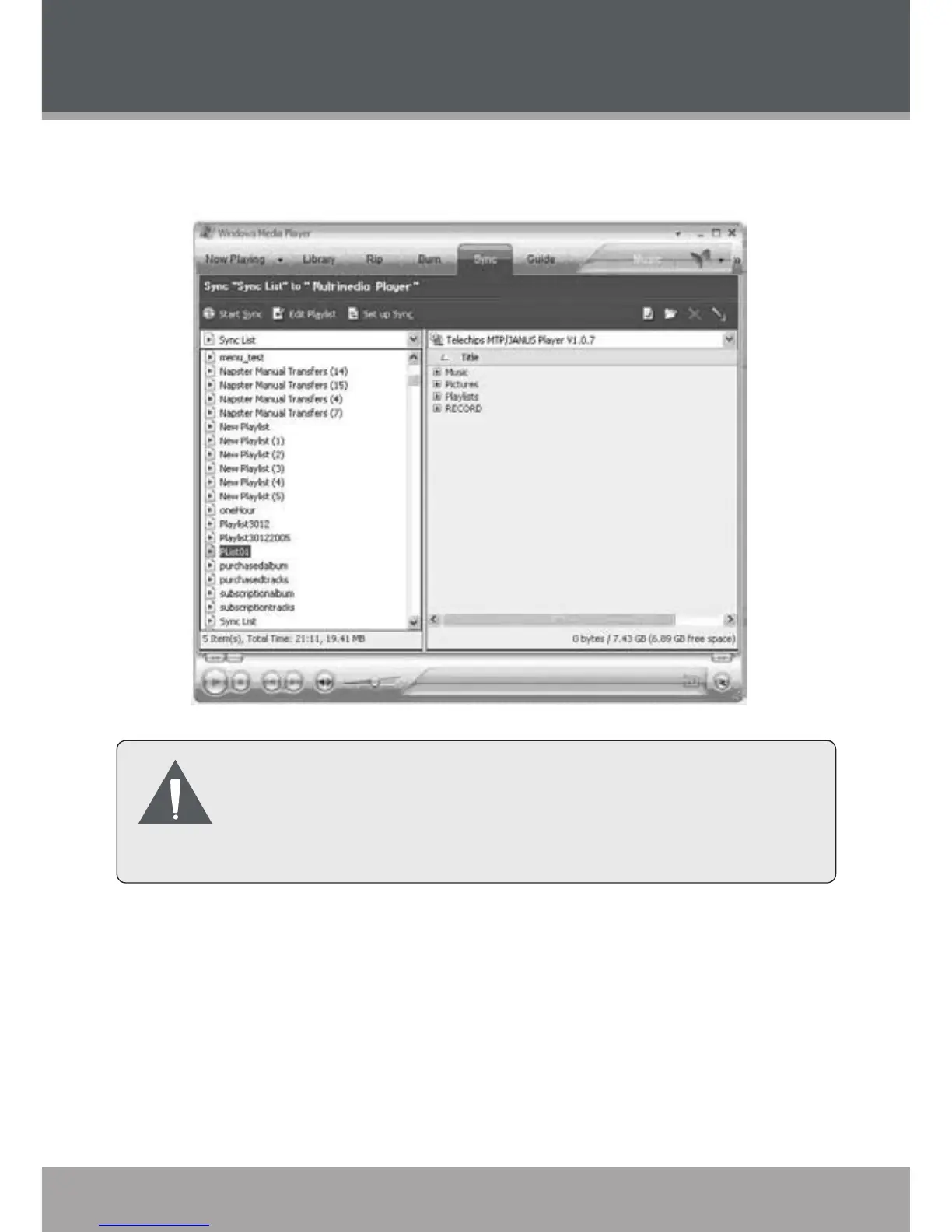
Select a playlist from the “Sync List” drop-down menu. Click
“Start Sync” to start transferring the les in the selected playlist.
For more information and support regarding music trans-
fer and synchronization with Windows Media Player
(WMP), please see the help section included with WMP
(click Help > Synchronizing Content to Devices).
•



 To Next Page