www.cobyusa.com Page 37
Windows Media Player 10 (WMP10)
You can use Windows Media Player 10 (WMP10) and a USB-MTP connection
to manage your music media library with Microsoft Windows XP or newer.
Music File Transfers
To transfer les using WMP10:
Run Window Media Player 10
Connect your player to the computer. A “Device Setup” window will ap-
pear.
In the ‘Device Setup” window, choose “Synchronize this device with this
library for this session only” and click “Finish”.
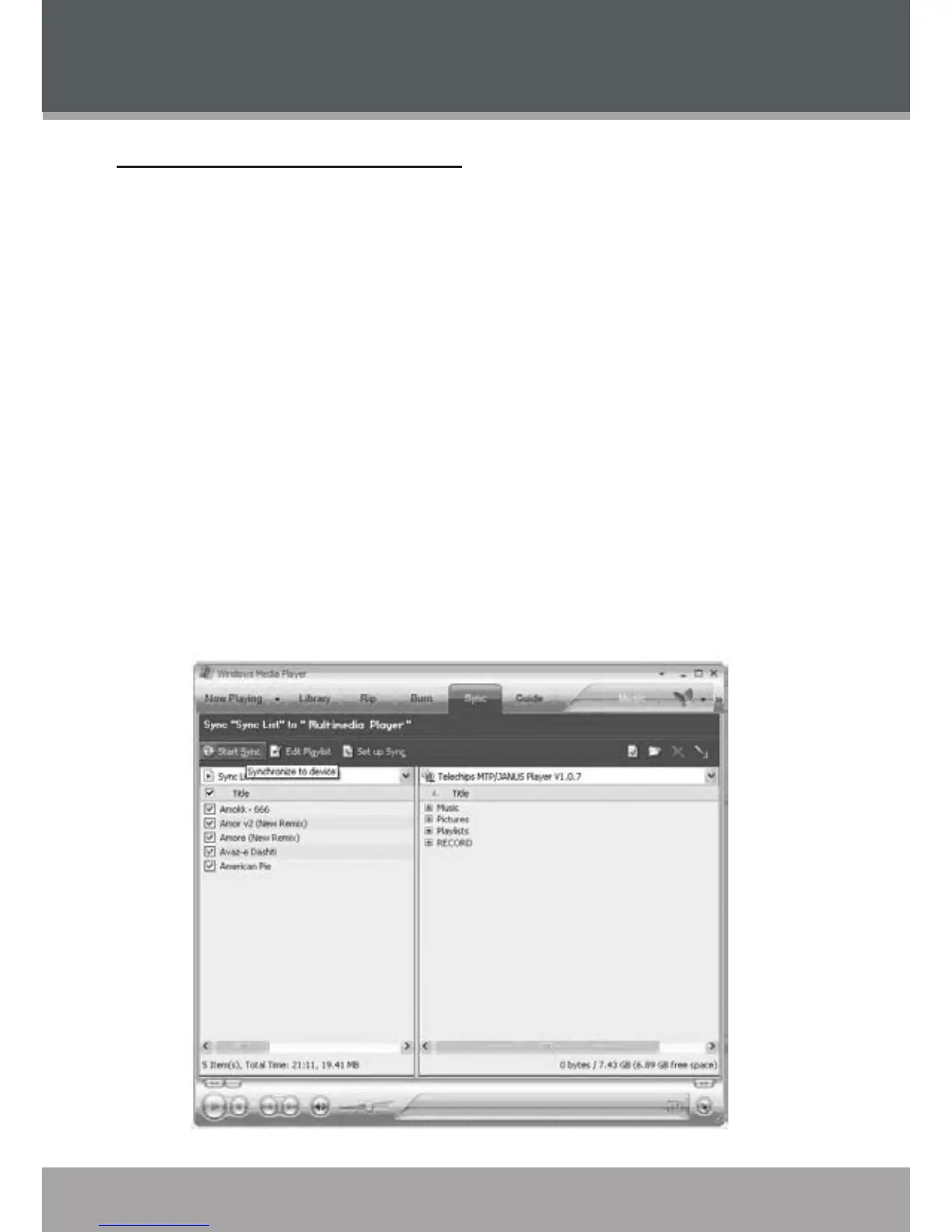
Select “Sync”. There are 2 ways to sync your les with your player:
Drag your songs, photos, or converted video les to the sync
list on the left hand side. Click “Start Sync” to start transferring the
selected les.
1.
2.
3.
4.
•
WINDOWS MEDIA PLAYER



 To Next Page