Page 36
Converting Video
To start the software, double-click the fi le
“VideoConvert.exe”.
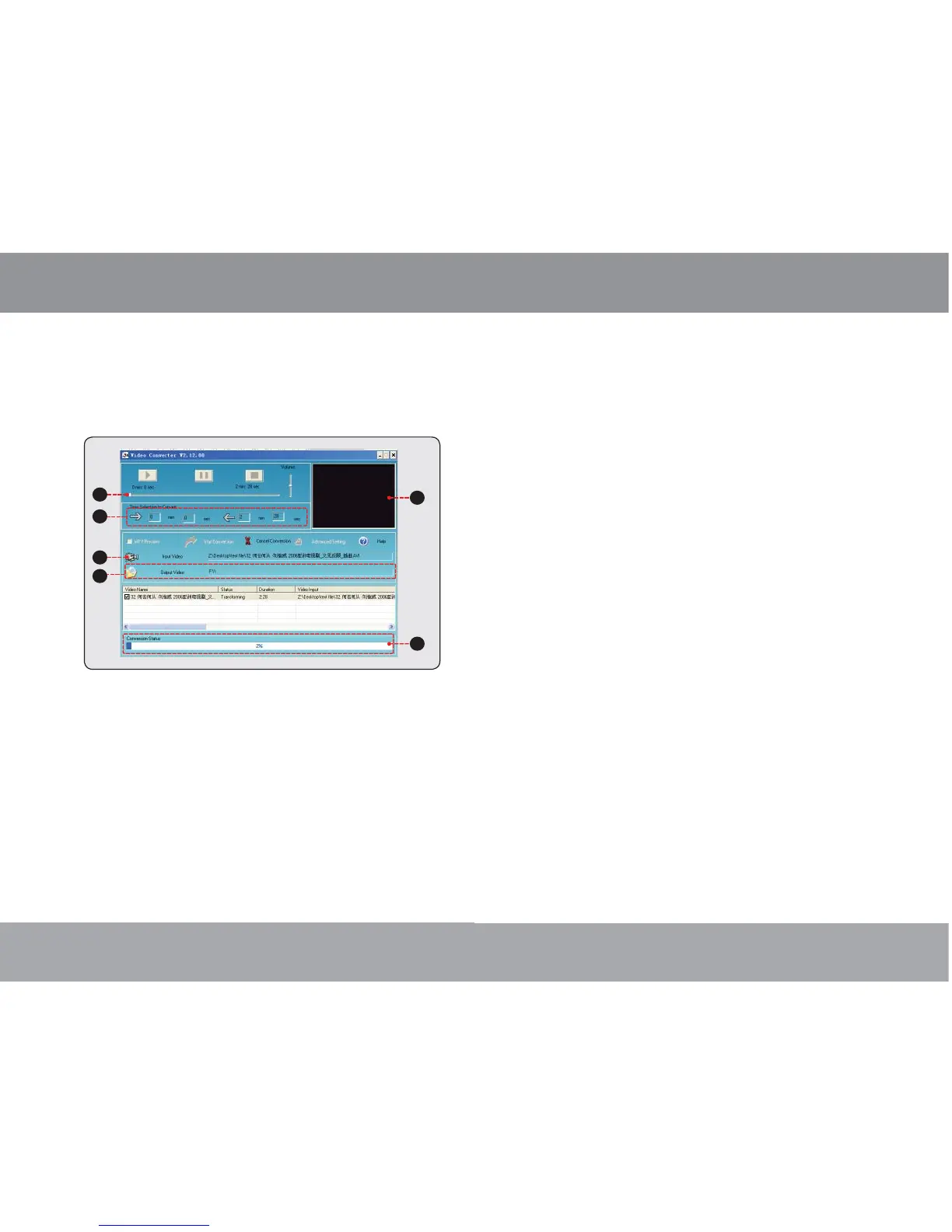
The application window shown below will appear.
1. Seek Bar for preview and time selection
2. Start and End time-point selection
3. Select the video fi le to convert
4. Select the destination folder of the converted
video fi le
5. Video preview window
6. Conversion progress bar
Video Conversion
Page 9
To turn the player off, press and hold the
<POWER> button until the screen turns off.
Resetting the Player
Reset the player if it should freeze and not respond
or otherwise malfunction.
1. Disconnect your player if it is connected to a
computer.
2. Use a paper clip to gently press the <RESET>
button located on the rear of the player.
Getting Started



 To Next Page