EasyManua.ls Logo

Coby NBPC1165 - User Manual

Coby NBPC1165
28 pages
Print Icon
To Next Page IconTo Next Page
Loading...
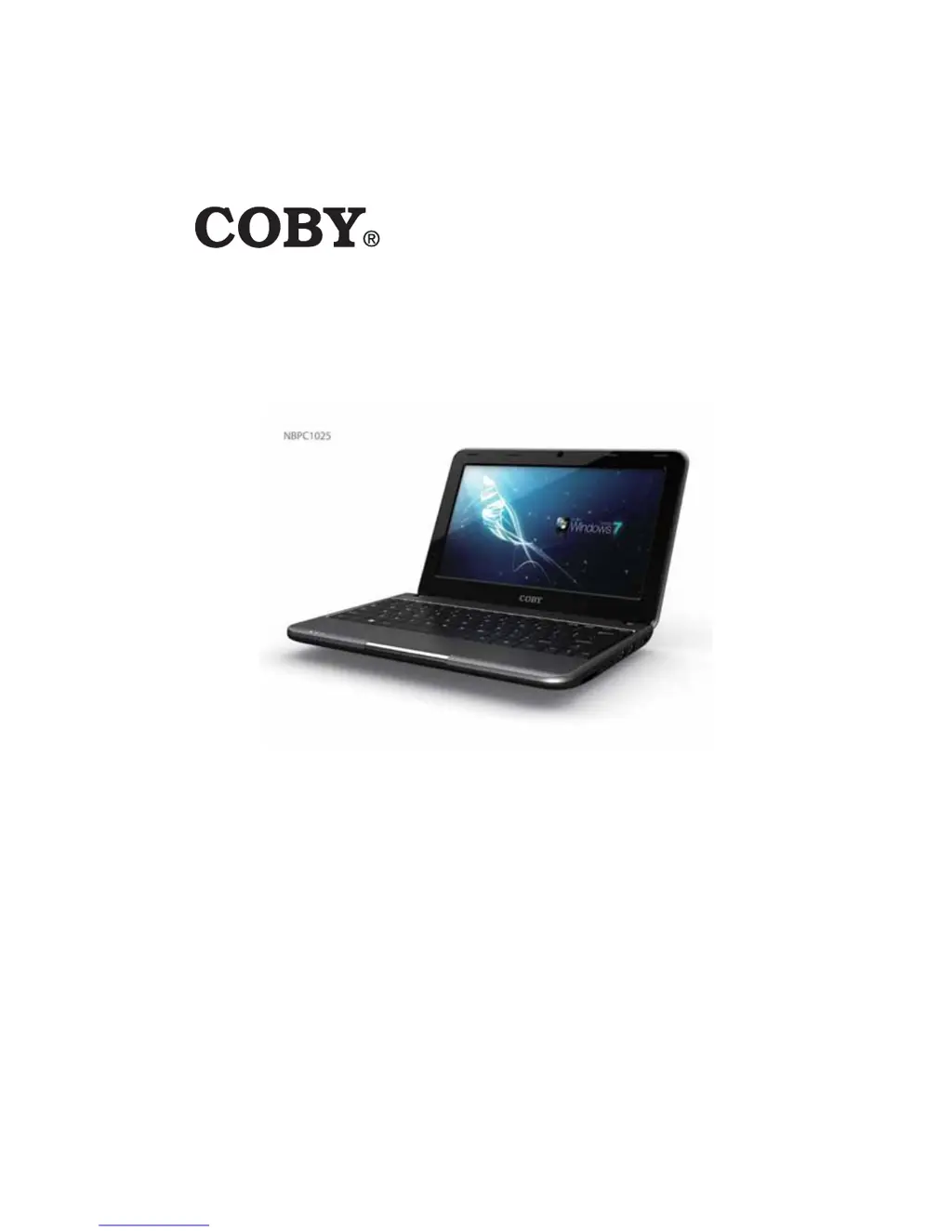
NBPC1025/NBPC1165
ES
FR
DE
PT
Please read carefully before use

Questions and Answers

  • D
    Deborah LittleAug 13, 2025
    How to fix Coby NBPC1165 that does not turn on?
    • D
      Dean PalmerAug 14, 2025
      If your Coby Laptop isn't turning on, and you're using AC power, ensure the AC adapter is securely connected to both the computer and a working electrical outlet. If you're using battery power, make sure the battery is charged.
  • A
    andrewsallisonAug 17, 2025
    What to do if Coby NBPC1165 screen goes blank?
    • J
      James NelsonAug 17, 2025
      If your Coby Laptop screen goes blank while the computer is on, the screen saver may be enabled. Try touching the touchpad or any key to exit screen saver mode. Alternatively, if power management is enabled, the computer may have entered sleep mode. Press the power button to exit sleep mode.
  • C
    Chris WeberAug 21, 2025
    Why is the screen unreadable on my Coby Laptop?
    • M
      Michaela MorrisAug 21, 2025
      If your Coby Laptop turns on but the screen is unreadable or distorted, verify that the screen resolution and color quality are correctly set. Also, check that the monitor type is correct under Display Settings Monitor. Finally, ensure the display device driver is correctly installed.
  • W
    William GregoryAug 26, 2025
    What to do if Coby NBPC1165 Laptop does not return from sleep mode?
    • T
      Thomas CamachoAug 26, 2025
      If your Coby Laptop is not returning from sleep mode, first check the sleep indicator light. If the light is off, the computer has entered hibernation mode; press the power button to exit. Also, ensure the battery is charged, as a depleted battery can cause hibernation. If it still doesn't respond, reset the computer by holding the power button for 4 seconds or more. If it still fails, unplug the AC adapter and remove, then reinsert, the battery.
  • L
    Leslie EstradaAug 28, 2025
    Why is there no screen image on my Coby NBPC1165?
    • M
      Michael AliAug 28, 2025
      If your Coby Laptop turns on, but there is no screen image, first confirm that the screen brightness level is not at its minimum. To increase brightness, press Fn + F7. If using battery power, check that the battery is installed correctly. If using AC power, check that the AC adapter is connected to the computer and the power cord is plugged into a working electrical outlet.
  • K
    Kayla SanchezSep 1, 2025
    How to fix no sound on Coby NBPC1165 Laptop?
    • F
      Frank BurkeSep 1, 2025
      If your Coby Laptop has no sound, even when the volume is turned up, first confirm that the Mute function is off. Then, check that no external device, such as a headphone or speaker, is plugged into the audio output (headphone) jack. Finally, make sure that speakers are selected as a playback device.
  • A
    Alejandra MckenzieSep 5, 2025
    Why Coby NBPC1165 battery operating time is short?
    • M
      Mr. Chase BrownSep 5, 2025
      If your Coby Laptop operating time for a fully charged battery is short, or the computer does not operate with a fully charged battery, remove and reinsert the battery. If the problem persists, you may need to replace the battery. The surge protector in the battery might be active. Turn off the computer for one minute to reset the protector; then turn on the computer again.
  • D
    Donna MercadoSep 9, 2025
    What to do if Coby NBPC1165 shows low-battery error?
    • B
      Brian JohnsonSep 9, 2025
      If your Coby Laptop displays the critical low-battery error message and immediately turns off, connect the AC adapter to the computer, or replace the battery with a fully charged one.

Summary

Features and External Devices

Using Memory Cards, Webcam, Internet & Drivers

Covers memory cards, webcam, internet connectivity, and driver installation.

Connecting External Devices

Guide on connecting USB, display, and audio devices to the netbook.

Package Contents

Included Items

Lists the items included in the computer package.

Safety Warnings

Warnings about plastic bags and product name trademarks.

Safety Precautions

General Operation and Component Safety

Guidelines for safe setup, operation, and component handling.

Battery and Power Connection Safety

Safety instructions related to the computer's battery and power connection.

Netbook at a Glance

Component Identification and Indicators

Identifies netbook components across top, left, and bottom views, and explains status indicators.

Basic Operation

Power Management and Startup Procedures

Covers AC/battery power, replacement, startup, sleep, and shutdown.

Keyboard, Numeric Keypad and Touchpad Usage

Explains keyboard functions, numeric keypad, and touchpad navigation.

Troubleshooting

Troubleshooting Contact and Common Issues

Provides contact info and covers general, display, and keyboard problems.

Advanced Troubleshooting and Performance

Addresses sleep mode, battery, screen, sound, and performance issues.

Specifications

Detailed Hardware Specifications

Technical details of the display, processor, memory, storage, and connectivity.

FCC Statement

Regulatory Compliance Information

FCC compliance rules and guidelines for device operation and interference.

Coby NBPC1165 Specifications

General IconGeneral
Display Size11.6 inches
ProcessorIntel Atom
Display Resolution1366 x 768
PortsHDMI
Wireless802.11 b/g/n Wi-Fi

Related product manuals