www.cobyusa.com Page 17
English
Basic Operation
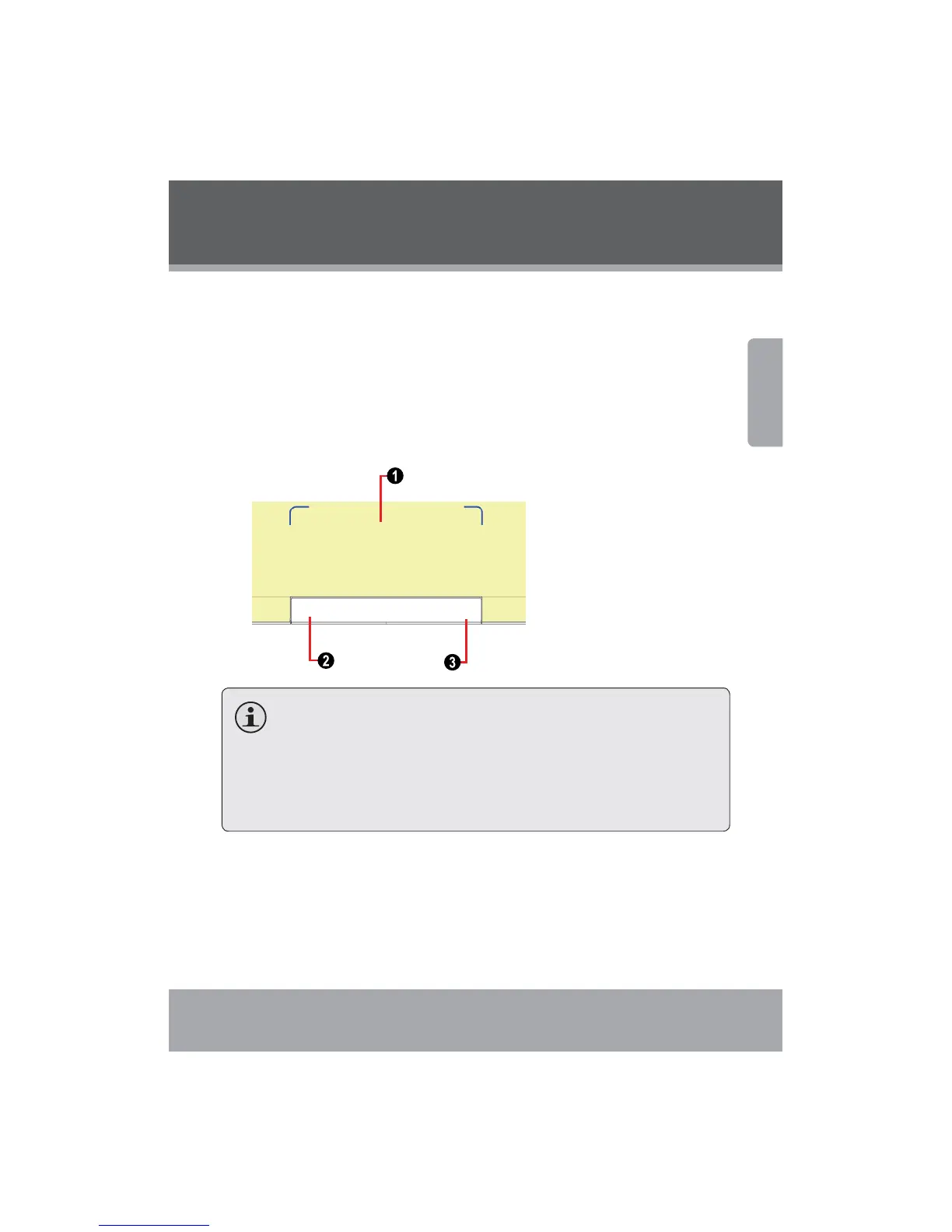
Using the Touchpad
Use the touchpad and integrated mouse to navigate your computer’s
operating syst e m. To move the cursor on the scr een, slide your fingertip
over the touchpad in the direction in which you want the cursor to move.
Use the left/righ t click buttons on the integrated mouse just as you
would the left/right click on a conventiona l mouse to selec t objects,
open programs, or retrieve information.
1. Touchpad
2. Left click
3. Right cl
ick
Use one finger only to navigate the touchpad. Moisture or dirt
may cause the touchpad to function incorrectly.
Sharp objects or excessive pressure may damage the touch-
pad’s surface.
Do not attempt to remove the cover of the touchpad.


 To Next Page