EasyManua.ls Logo

Coby TF-DVD1256 - Remote Control; Battery Installation

Coby TF-DVD1256
32 pages
Print Icon
To Next Page IconTo Next Page
To Previous Page IconTo Previous Page
Loading...
11
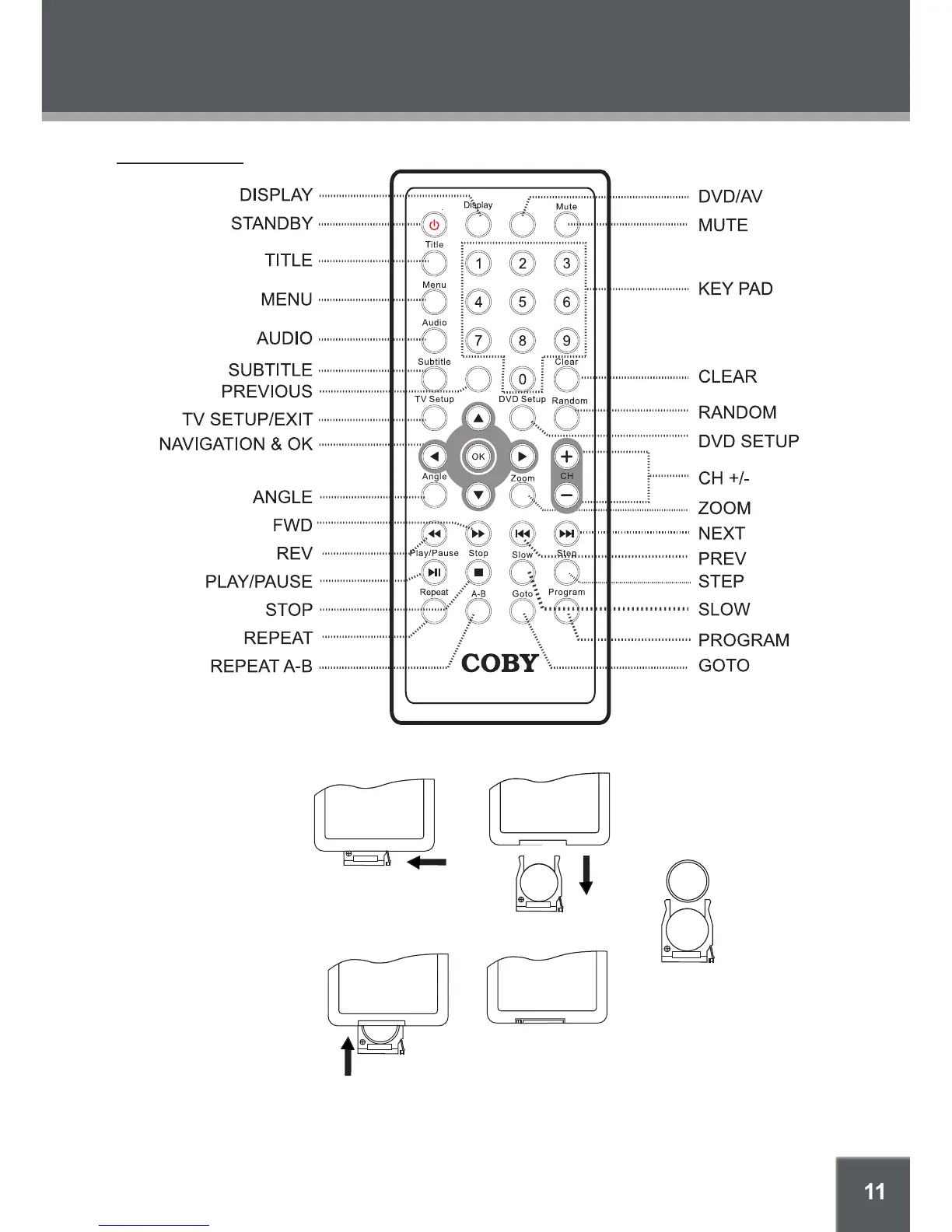
LOCATION OF CONTROLS
DVD/AV
Previous
Standby
Exit
Remote Control
CR2025
+
To open the battery compartment:
1) Press in the direction of the arrow;
2) Slide the compartment out.
To install the battery:
1) Place the battery in the compartment with the
positive side ( + ) facing up;
2) Push the compartment in to close.

Battery Installation

Other manuals for Coby TF-DVD1256

Related product manuals