TV SETUP
Enter TV Setup mode to adjust the various internal settings of the Television.
Using the Remote:
Press TV SETUP to enter TV Setup mode.
Use the UP and DOWN direction buttons to se-
lect a desired item.
Press the RIGHT direction button to conrm a
selection, or press the LEFT direction button to
cancel.
If necessary, you may use the numeric key-
pad to input data and then press RIGHT to
conrm.
Press TV SETUP to exit Setup mode.
Using the Main Unit buttons:
Press SETUP to enter TV Setup mode.
To select a desired item:
Press UP (CH +) to move the selection up; press DOWN (CH -) to move the selection
down.
Press RIGHT to conrm a selection; press LEFT to cancel.
Press SETUP to exit TV Setup mode.
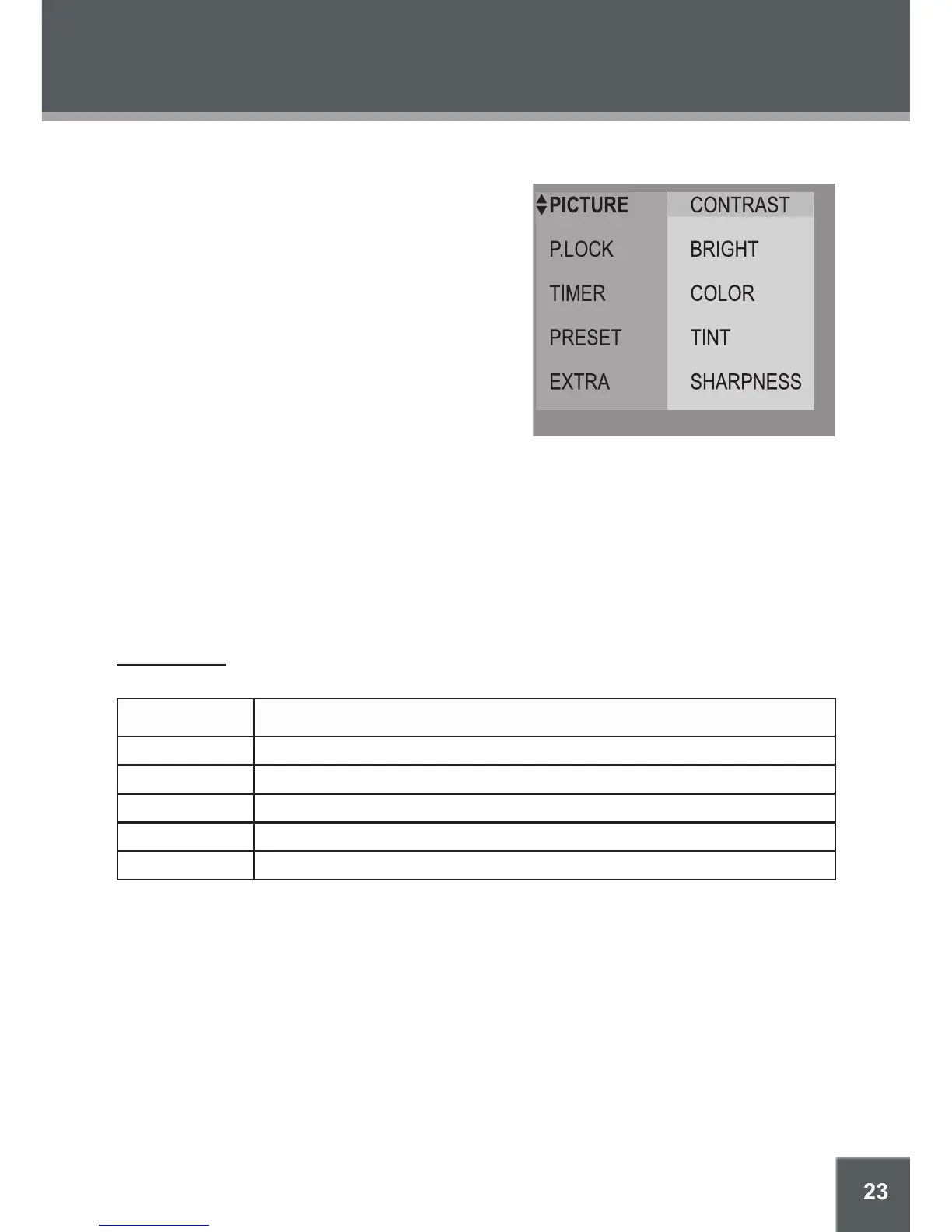
Picture Setup
The Picture options control the way images are displayed on the television screen.
Item Description
Contrast Adjust the screen’s contrast.
Bright Adjust the screen’s brightness.
Color Adjust the screen’s color saturation.
Tint Adjust the screen’s tint.
Sharpness Adjust the screen’s sharpness.
1.
2.
3.
•
4.
1.
2.
•
•
3.


 To Next Page