Power Management
If the player will not be in use for a long period of time, set the Power Switch to the OFF position,
remove the battery, and unplug the player.
LCD On/Off Button
When you are listening to a CD or MP3-CD and do not need to use the LCD display, you can ex-
tend the player’s battery-life signicantly by turning off the LCD screen.
Press LCD ON/OFF to turn the screen off. Press the button again to turn the screen back on.
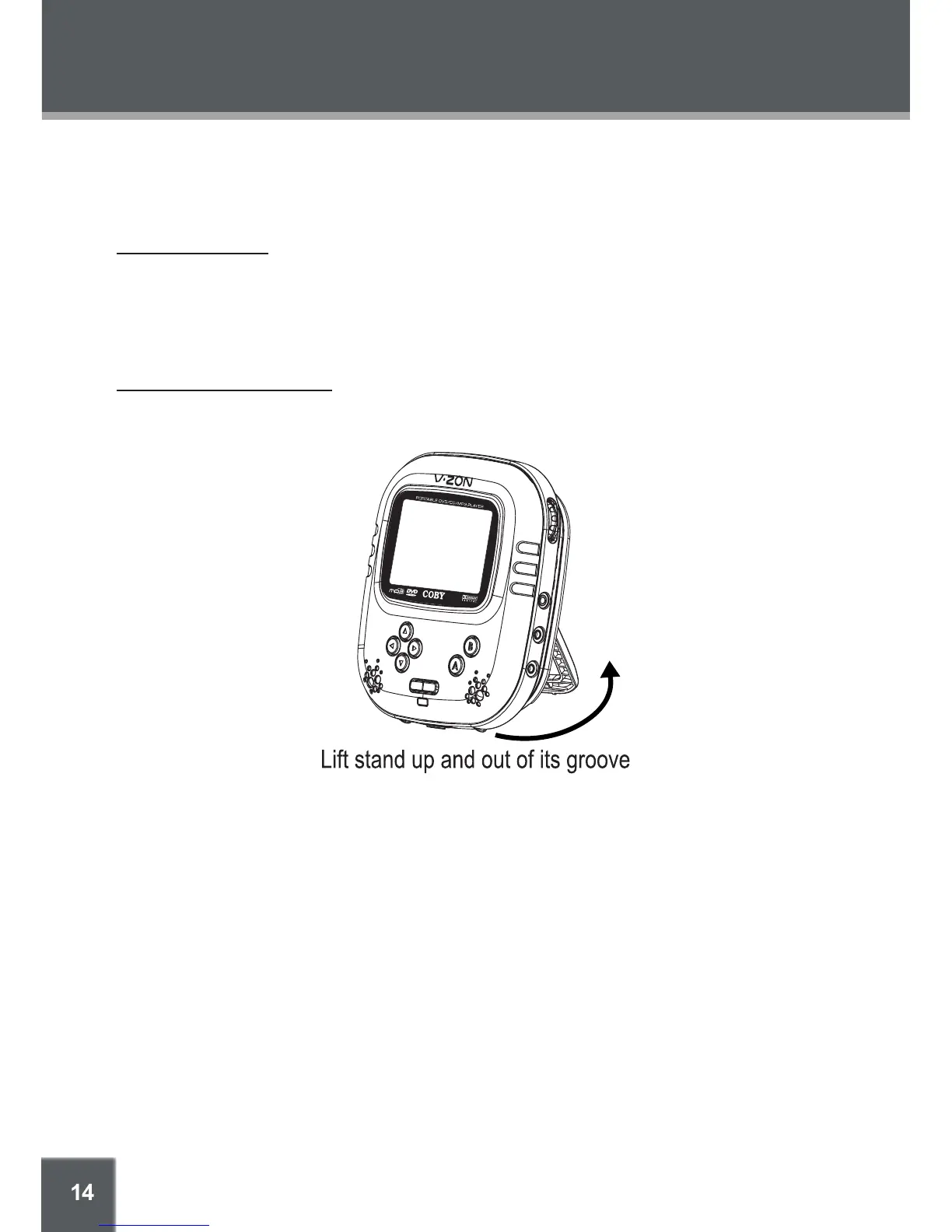
Using the Integrated Stand
There is a Stand built into the back of the battery pack. You can use the stand to position the player
in an upright position for easy tabletop/desktop viewing.
•
GETTING STARTED



 To Next Page