EasyManua.ls Logo

Coby TF-TV505 - User Manual

Coby TF-TV505
10 pages
Print Icon
To Next Page IconTo Next Page
Loading...
The lightning flash with arrowhead symbol, within an equilateral triangle, is
intended to alert the user to the presence of uninsulated “dangerous
voltage” within the product’s enclosure that may be of sufficient magnitude
to constitute a risk of electric to persons.
The exclamation point within an equilateral triangle is intended to alert the
user to the presence of important operating and maintenance (servicing)
instructions in the literature accompanying the appliance.
WARNING: TO REDUCE THE RISK OF FIRE OR ELECTRIC SHOCK, DO
NOT EXPOSE THIS APPLIANCE TO RAIN OF MOISTURE.
Important Safety InstructionImportant Safety Instruction
IMPORTANT FOR LASER PRODUCTS
CLASS 1 LASER PRODUCT
DANGER:
Visible laser radiation when open and interlock failed or defeated. Avoid direct exposure
to beam.
CAUTION:
These servicing instructions are for use by qualified service personnel only. To reduce
the risk of electric shock, do not perform any servicing other than that
contained in the operating instructions unless you are qualified to do so. Refer to
manual for servicing instructions.
POWER SUPPLY:
Connect the supplied adapter to the side of the unit in the slot marked DC 12V.
Plug the two-prong end of the power cord to an AC100-240V outlet. If you have difficulty
inserting the plug, turn it over and reinsert it, if the unit will not be used for a long time,
disconnect the plug from the outlet.
NOTE:
Before plugging the power cord into an AC outlet, make sure that all the
connections have been made.
RR
TF-TV505
Please read this manual before connection and use.
Customer Service Hours
Monday- Friday 8:00AM ~ 11:00PM (EST) 1-800-681-2629 or 718-416-3197
Monday- Friday 6:30PM ~ 11:00PM (EST) 1-800-727-3592
Saturday- Sunday 9:00AM ~ 11:00PM (EST) 1-800-727-3592
Or Send E-Mail to: Customerservice@cobyusa.com / techsupport@cobyusa.com

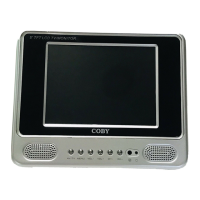
Other manuals for Coby TF-TV505

Questions and Answers

  • K
    Karen FernandezJul 29, 2025
    How to fix Coby Portable TV when it has no power?
    • J
      Jamie MartinJul 29, 2025
      If your Coby Portable TV has no power, ensure it's manually powered on, the power cord is correctly connected to the outlet, and the main power switch is on.
  • S
    Sarah MooreAug 2, 2025
    What to do if my Coby Portable TV has no sound?
    • P
      Patricia RiveraAug 2, 2025
      If there is no sound on your Coby Portable TV, try these steps: * Increase the volume. * Check that the sound system is properly set. * Ensure the AV audio signal input cable is correctly connected.
  • M
    Michelle BurtonAug 6, 2025
    Why is my Coby Portable TV remote control not working?
    • J
      Jackie BennettAug 6, 2025
      If the remote control isn't working with your Coby Portable TV, ensure the TV's power button is on. Also, remove any obstacles, point the remote towards the sensor, check the batteries' polarity, or replace the batteries.
  • N
    Nancy JonesAug 11, 2025
    How to fix color distortion on Coby Portable TV?
    • M
      Maurice MannAug 11, 2025
      If your Coby Portable TV picture is distorted, reset the color system. Also, check that the system and the AV video signal input cable are properly connected.
  • S
    Shelley GayAug 15, 2025
    What to do if my Coby Portable TV has no picture?
    • G
      gbuckAug 15, 2025
      If your Coby Portable TV shows no picture, try switching to another TV channel. Also, check the system connection to ensure it is secure and that the connection cables aren't damaged.
  • M
    Michael GarciaAug 19, 2025
    What to do if Coby Portable TV is malfunctioning?
    • T
      Tabitha BaileyAug 20, 2025
      If your Coby Portable TV is malfunctioning, unplug it for 30 minutes. Then, power it back on to reset the player using the restore function.
  • R
    Robert RodriguezAug 23, 2025
    Why are the picture and sound interfered on my Coby Portable TV?
    • K
      Kendra BaileyAug 25, 2025
      If the picture and sound on your Coby Portable TV are interfered, check if the system is properly connected. If you're using an antenna, adjust it for better reception.

Summary

Essential Safety Guidelines

General Safety Warnings

Covers warnings regarding fire, electric shock, and moisture exposure.

Laser Product Safety

Information and warnings specific to Class 1 laser products.

Servicing Cautions

Precautions for qualified service personnel to prevent electric shock.

Power Supply Connection Notes

Guidance on connecting the power adapter and ensuring proper connections.

Unpacking Your Device

Included Accessories

Lists the essential items that should be included with the TV/monitor upon purchase.

Key Device Features

TV and AV Input Modes

Enables viewing programs from external input sources via TV or AV mode.

High Quality Display and Sound

Highlights high resolution, superior sound, and Dolby Digital decoder.

LCD Screen Characteristics

Notes on the TFT LCD screen, including normal appearance of spots.

Device Overview and Controls

Panel Layout and Buttons

Details the layout and function of buttons on the front, top, and side panels.

Rear Panel Connections

Identifies the ports and connections available on the rear of the unit.

Using the Integrated Stand

Instructions on how to deploy and utilize the unit's built-in stand for viewing.

Remote Control Usage Guide

Remote Control Button Functions

Explains the purpose and operation of each button on the remote control.

Coin Lithium Battery Installation

Step-by-step instructions for inserting the coin lithium battery into the remote.

Remote Control Operation Details

Remote Control Preparation and Use

Steps for preparing and using the remote control effectively for optimal performance.

Remote Operating Distance

Information on the effective operating distance and conditions for the remote control.

Power Connection Methods

Connecting the AC Power Adapter

Detailed instructions for connecting the unit to AC power using the provided adapter.

Connecting Power and Cables

Battery Pack Power Option

Guide for connecting and using the battery pack as an alternative power source.

Connecting External AV Sources

Steps for connecting audio and video devices like DVD players and VCRs.

Connecting Antenna or Cable TV

Instructions for connecting external antennas or cable for TV reception.

TV Mode Operations

Basic TV Operation Steps

Covers connecting antenna, selecting TV mode, and tuning channels.

TV Parameter Configuration

Guide to setting TV system, antenna type, and picture/color adjustments.

TV and AV Settings

TV Parameter Adjustments and Options

Explanation of TV parameters setup including manual/auto tuning and picture adjustments.

AV Input Preparation

Instructions to prepare the unit for AV input, including source connection.

AV Parameter Configuration

Guide to setting AV parameters such as color system and picture adjustments.

Troubleshooting Guide

Symptom-Based Solutions

Provides a list of common symptoms and recommended actions for troubleshooting.

Technical Specifications

Technical Details and Dimensions

Lists key technical specifications like size, system, power, dimensions, and weight.

Coby TF-TV505 Specifications

General IconGeneral
Screen Size5 inches
Display TypeTFT LCD
Aspect Ratio16:9
InputsAV input
OutputsHeadphone
Power SourceAC adapter, Battery
TV TunerAnalog
BatteryRechargeable battery pack
Battery Life2.5 hours

Related product manuals