EasyManua.ls Logo

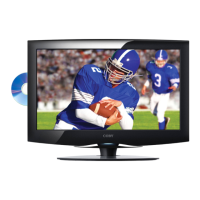
Coby TFDVD2395 - User Manual

Coby TFDVD2395
32 pages
Print Icon
To Next Page IconTo Next Page
Loading...
The lightning flash with arrowhead symbol within an equilateral triangle is
intended to alert the user to the presence of uninsulated “dangerous voltage”
within the product’s enclosure that may be of sufcient magnitude to constitute
a risk of electric shock.
The exclamation point within an equilateral triangle is intended to alert the
user to the presence of important operation and servicing instructions in the
literature accompanying the appliance.
Precautions
For Customer Use:
Enter below the serial number that is located on the
rear of the unit. Retain this information for future ref-
erence.
Model No.
Serial No.
TFDVD2395/2495/2295S2/1995S2/1595S3
LEDVD1596S1/1996S1
For recycling or disposal information about this product, please
contact your local authorities or the Electronics Industries
Alliance:www.eiae.org.

Questions and Answers

  • M
    Maria VillegasAug 17, 2025
    What to do if my Coby TV has no power?
    • S
      Shannon MorrisAug 17, 2025
      If your Coby TV isn't turning on, ensure it has been powered on manually. Then, check that the power cord is properly connected to the power outlet and that the main power switch is on.
  • L
    leonjamieAug 19, 2025
    What to do if my Coby TV remote control does not work?
    • K
      Kerry SandovalAug 19, 2025
      If the remote control for your Coby TV isn't working, make sure the POWER button on the unit has been turned on manually. Remove any obstacles between the remote and the TV, and point the remote towards the remote sensor. Check the batteries are correctly installed, or replace them.
  • E
    ejimenezAug 22, 2025
    What to do if my Coby TV has no picture?
    • J
      Jennifer NunezAug 22, 2025
      If your Coby TV is not displaying a picture, try switching to another TV channel. Check that the system connection is proper and secure and inspect the connection cables for any damage.
  • A
    Andre BrownAug 25, 2025
    What to do if picture and sound are interfered on Coby TV?
    • L
      Lori MckayAug 26, 2025
      If the picture and sound on your Coby TV are experiencing interference, check if the system is properly connected. If you are using an antenna, try adjusting it.
  • J
    Jordan GilmoreAug 27, 2025
    Why does my Coby TV have no sound?
    • M
      Michael BeltranAug 28, 2025
      If there is no sound coming from your Coby TV, first, increase the volume. Then, check if the MUTE function is activated. Also, ensure the sound system is properly set and the AV audio signal input cable is correctly connected.
  • M
    Meghan PageAug 30, 2025
    Why is the color distorted on my Coby TV?
    • R
      Rachael DavisAug 30, 2025
      If the color on your Coby TV appears distorted, try resetting the color system of the unit. Also, check if the system and the AV video signal input cable are properly connected.
  • J
    Jacqueline ParrishSep 2, 2025
    What to do if my Coby TFDVD2395 Flat Panel TV has no power?
    • K
      Kelsey SmithSep 2, 2025
      If your Coby Flat Panel TV has no power, ensure the unit has been powered on manually. Also, check if the power cord is properly connected to the power outlet and that the main power switch is on.
  • C
    Crystal AllenSep 5, 2025
    What to do if my Coby TFDVD2395 Flat Panel TV remote control does not work?
    • J
      Jesse RollinsSep 5, 2025
      If the remote control for your Coby Flat Panel TV isn't working, try these steps: * Ensure the POWER button on the unit has been turned on manually. * Remove any obstacles between the remote and the TV. * Point the remote towards the remote sensor on the TV. * Check the batteries are loaded with correct polarities and replace them if necessary.
  • D
    David FranklinSep 7, 2025
    What to do if my Coby Flat Panel TV has no picture?
    • S
      Samuel Glenn MDSep 8, 2025
      If your Coby Flat Panel TV shows no picture, try changing the TV channel. Check that the system connection is proper and secure, and inspect the connection cables for any damage.
  • J
    james48Sep 10, 2025
    What to do if my Coby TFDVD2395 Flat Panel TV is malfunctioning?
    • K
      Kathleen SmithSep 10, 2025
      If your Coby Flat Panel TV is malfunctioning, unplug the player for 30 minutes. After that, power on the player, and the restore function should reset it.

Coby TFDVD2395 Specifications

General IconGeneral
Screen Size23 inches
Resolution1366 x 768
Aspect Ratio16:9
Display TypeLCD
HDMI Ports1
USB Ports1
Built-in DVD PlayerYes

Related product manuals