Kanso®2 Sound Processor
Quick Guide for Clinicians
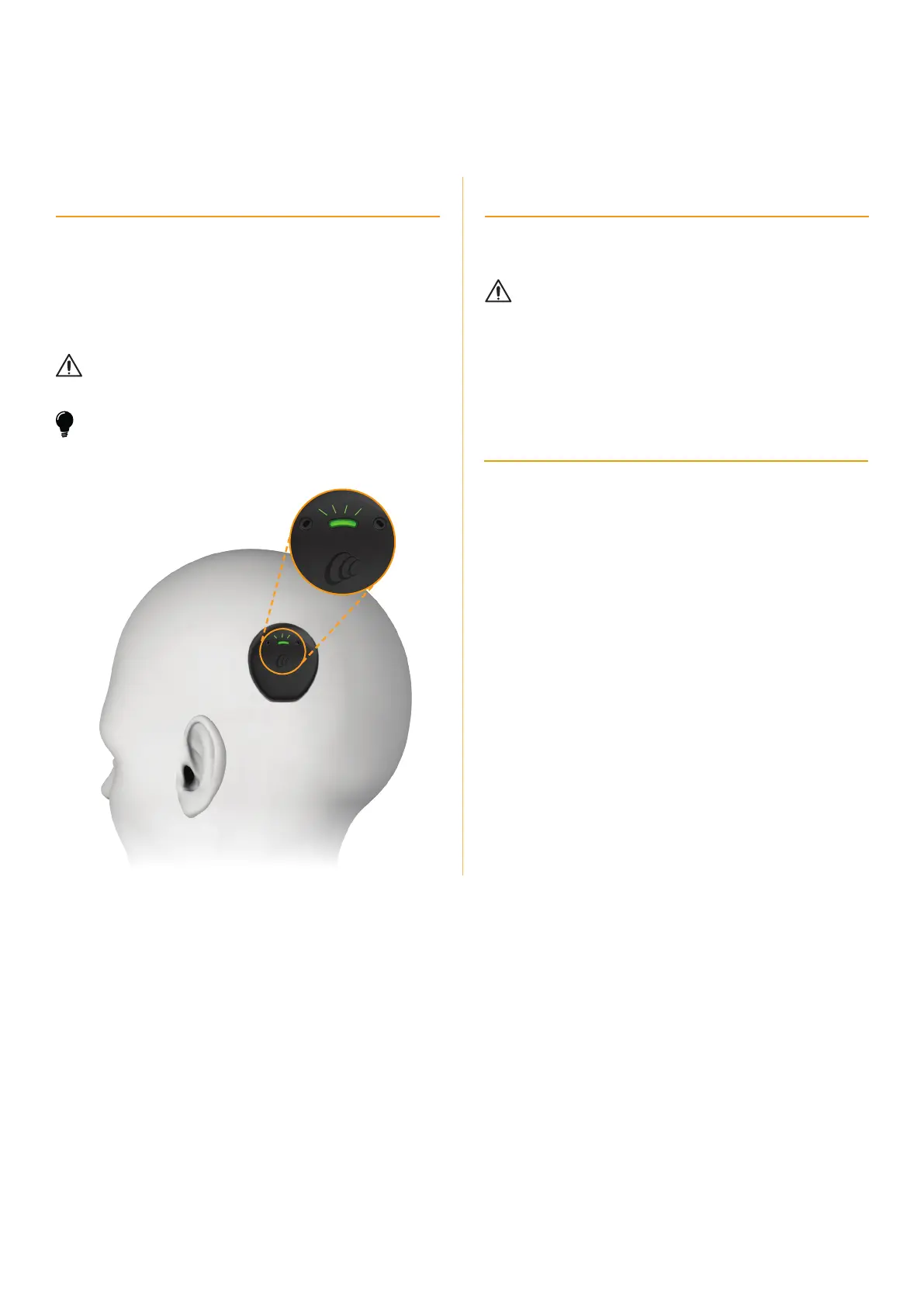
Wear the sound processor
For optimal hearing outcomes, it is important to show recipients
how to correctly place their processor on their implant.
Place the Kanso 2 Sound Processor on the implant with the:
• Cochlear logo, light and microphone ports facing up
• straight edge facing down.
CAUTION
Position the sound processor correctly to get optimal retention and best
performance. Refer to the Kanso 2 Sound Processor User Guide for details.
TIP
To reduce the risk of losing the sound processor, you can use a Kanso 2
Safety Line or Kanso 2 Headband. Refer to the Kanso 2 Sound Processor
User Guide for details.
Identification for bilateral users
You can use coloured stickers (red for right, blue for left) to
make identifying left and right processors easier.
CAUTION
If the recipient is a bilateral user, they must use the correct sound
processor for each implant.
Does the Kanso2 Sound Processor support
Hybrid
™
mode?
No, the Kanso 2 Sound Processor does not support acoustic
hearing if your recipient has residual hearing.
2



 To Next Page