EasyManua.ls Logo

CoCo TMT-502 - User Manual

CoCo TMT-502
17 pages
Print Icon
To Next Page IconTo Next Page
Loading...
USER’S MANUAL
version 1.1
English
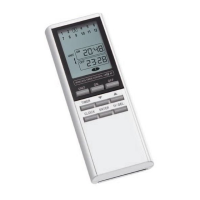
TMT-502 REMOTE CONTROL WITH TIMER

Other manuals for CoCo TMT-502

Questions and Answers

  • M
    Mindy RodriguezJul 31, 2025
    What to do if my CoCo Remote Control has a short distance?
    • C
      Christopher Miller PhDJul 31, 2025
      If your CoCo Remote Control has a short operating distance, the suggested solution is to check the battery power and replace it with a fresh battery.
  • T
    Thomas MclaughlinAug 6, 2025
    What to do if CoCo Remote Control has no indicator signal?
    • T
      timothywilsonAug 6, 2025
      If your CoCo Remote Control shows no indicator signal, the suggested solution is to check the 12 V battery.
  • C
    Caitlyn JohnsonAug 13, 2025
    What to do if CoCo TMT-502 Remote Control has no display?
    • C
      charles53Aug 13, 2025
      If your CoCo Remote Control has no display, here are a few things you can try: 1. First, check the LCD battery power. 2. If, after replacing the battery, the display still doesn't show anything, it is suggested to send it back to the agent.
  • M
    Matthew NewtonAug 18, 2025
    What to do if digits are not clear on CoCo Remote Control?
    • Y
      ykingAug 18, 2025
      If the digits on your CoCo Remote Control are not clear, here are a few things you can try: 1. First, check the LCD battery power. 2. If, after replacing the battery, the display still doesn't show correctly, it is suggested to send it back to the agent for further assistance.
  • L
    Laura JonesAug 25, 2025
    How to fix low power on CoCo TMT-502?
    • F
      Frederick WilliamsAug 25, 2025
      To address low power issues with your CoCo Remote Control, replace the existing battery with a fresh 3V CR2032 Lithium battery.

Summary

Setting the Clock

Initiate Clock Setting

Press CLOCK for 3 seconds to start clock setting mode; the hour indicator will flash.

Set Hour

Use the up/down buttons to select the correct hour, then press ENTER.

Set Minute

Use the up/down buttons to select the correct minute, then press ENTER.

Confirm Clock Setting

Press ENTER to confirm the clock setting.

Operation of Receivers

Select Receiver Unit

Use the up/down buttons to select the receiver set to the corresponding code.

Switch Receiver On;Off

Press ON or OFF buttons to switch the receiver on or off.

Programming the Timer Function

Pausing a Program

Deleting a Program

CoCo TMT-502 Specifications

General IconGeneral
BrandCoCo
ModelTMT-502
CategoryRemote Control
Power Source2 x AAA batteries
Infrared Frequency38 kHz
CompatibilityTelevisions

Related product manuals