USER MANUAL EN
13
Installation
Follow the steps described below to install your SIM card and the
dierent accessories of your COCOMM F360 phone:
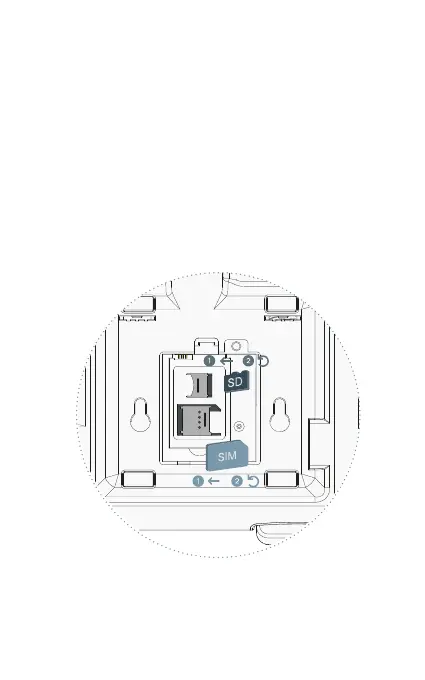
1. Disconnect the power adapter and remove the battery
compartment cover on the back of the device to install the
SIM card and micro-SD memory card. To install the cards,
slide the metal tabs to the left to unlock, ip up, and place the
card in the direction shown in the illustration. Lower the metal
tab and slide it to the right to lock it.



 To Next Page