EN
22
USER MANUAL
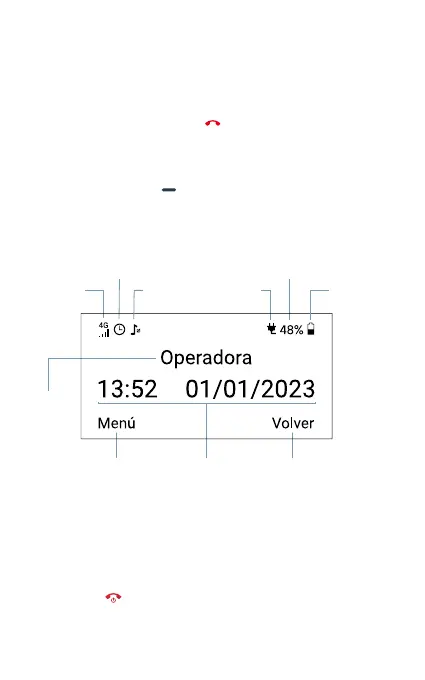
Screen
Basic operation
When the terminal is o, press [ ] for 3 seconds to turn on the
phone. The rst time a SIM card is inserted, the terminal will request
the PIN code.
Hold pressing the key [ ] for 3 seconds and enter the unlock
password to enter the setup mode of your COCOMM F360. The
default terminal password is 2580.
Turn on/o the terminal
Press the key [ ] for 3 seconds to turn on the terminal. The rst time
a SIM is inserted into the terminal, it will request the PIN code. From
Time and dateMenu
Active alarm Battery percentage
Coverage
indicator
Charge
indicator
Audio
prole
Battery
level
Network
operator
Back



 To Next Page