14
Installation
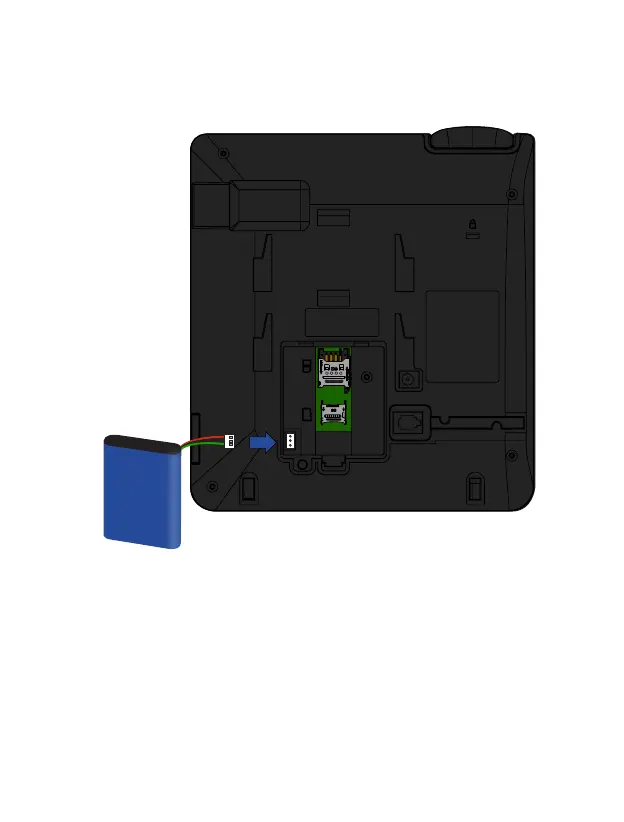
3. Insert the battery into its compartment and then insert the connector. Put the battery
compartment cover again, ensuring it is securely in place.
4. Plug the curled handset cord into the back of the phone. Plug one end of the cable into
the connector on the back of the phone.
5. Plug the other end of the curled cord into the headphone jack, as shown in the
illustration.



 To Next Page