20
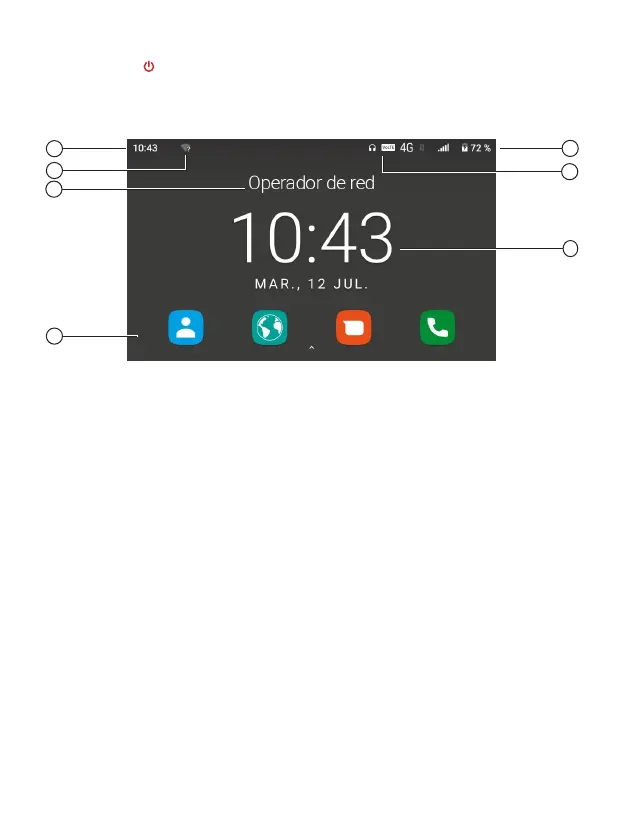
Press the key [ ] for 3 seconds to turn on the terminal. The first time a SIM card is
inserted, the terminal will request the PIN code. Then, the following user interface will be
displayed on the screen.
Press Pick up to display the call log or use the menu key to access the app’s menu.
You can also make a call from this interface by directly dialing the phone number on the
numeric keyboard.
Display
1. 2G/3G/4G coverage indicator
2. System notifications; SMS, calls,
Wi-Fi, Bluetooth, etc�
3. Battery level indicator
4. Status indicators; microphone,
hands-free, headphones, etc�
5. Network operator
6. Time and date
7. Apps
1
3
6
5
2
2
7



 To Next Page