22
Display
Press the [ ] key for 3 seconds to turn on the terminal. The first time a SIM card is
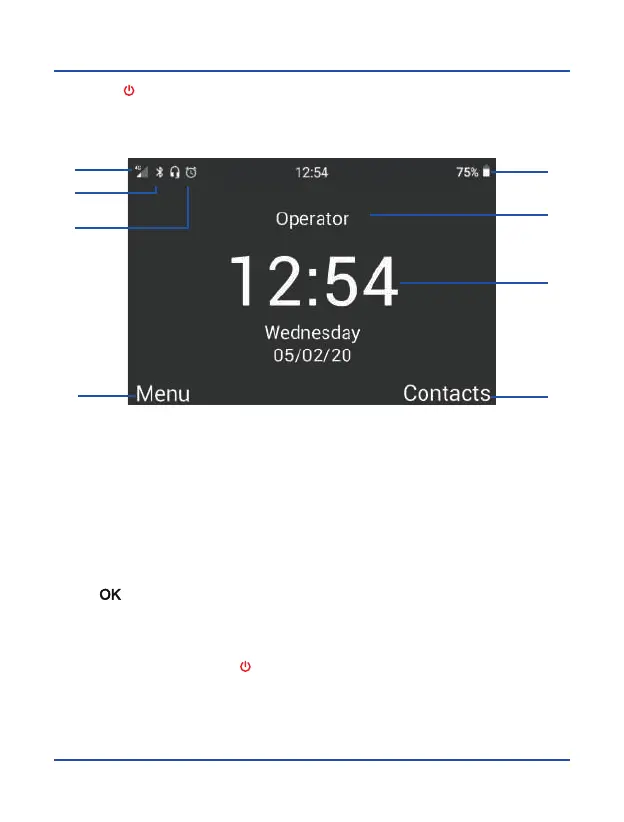
inserted the terminal will ask for a PIN code. Then, the following user interface will be
shown on the screen.
Press [ ] to show on the screen the calls log, use the left selection key to access
the application menu. You can also make a call from this interface, dialing the phone
number directly on the numeric keypad.
To turn off the terminal, press [
] for 5 seconds.
1. 2G/3G/4G Coverage Indicator
2. System Notifications: SMS, calls,
alarms, Bluetooth, etc.
3. Battery level Indicator
4. Status Indicators: microphone,
handsfree, headset, etc.
5. Network Operator
6. Time and Date
7. Function assigned to the left
softkey
8. Function assigned to the right
softkey
1
2
4
7
3
5
6
8



 To Next Page