24
Widget
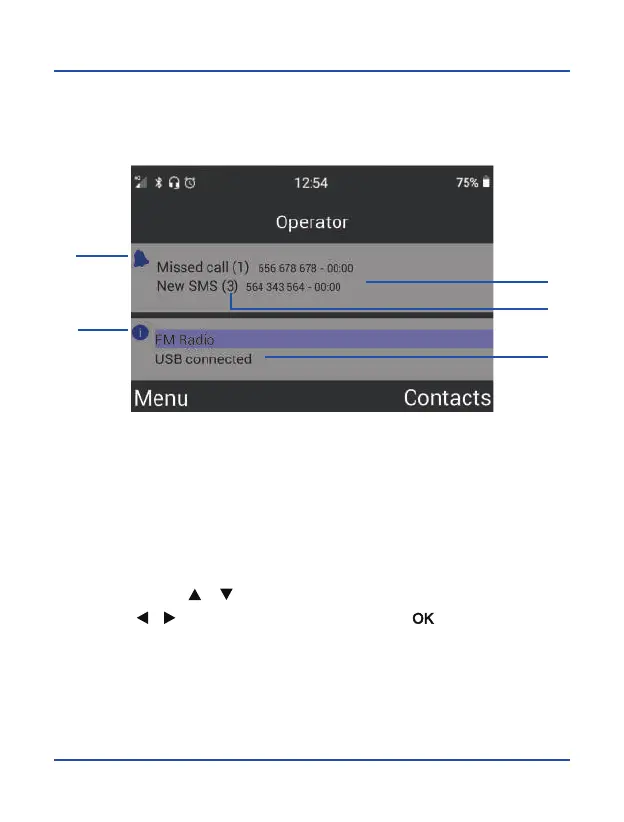
The main user interface changes when there are notifications or when an application
is running in the background. In this case, the following user interface will appear on
the device screen.
1
4
2
3
5
1. Notification Bar: missed calls and
new SMS
2. Information about the notification:
phone number and hour
3. Quantity of each notification
4. Status Information Bar
5. Applications running in the
background
Use the arrow keys [
] [ ] to move through each notification bar, and use these
arrows keys [
] [ ] to switch from one to another. Press [ ] to select:



 To Next Page