EN
56
USER MANUAL
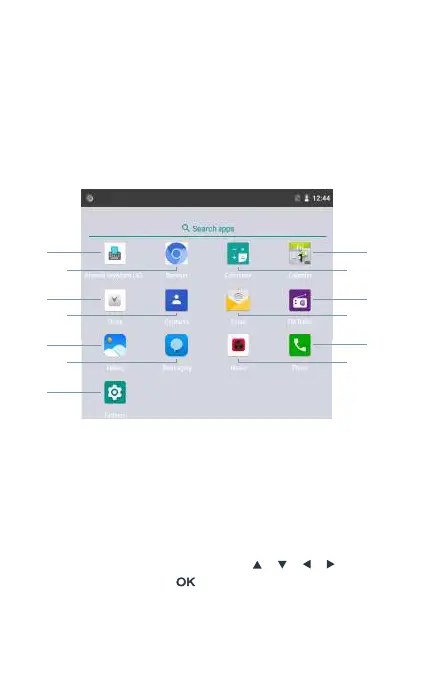
Applications menu
Once you turn on the device and complete the setup process, the
main menu will be displayed on the screen. Press the left selection
key to access the application menu, and the following user interface
will be displayed on the screen.
3
2
4
6
5
7
1
8
10
12
11
13
9
Keyboard
Browser
Clock
Contacts
Gallery
1
2
3
4
5
6
7
8
9
10
11
12
13
Messaging
Settings
Calendar
Calculator
FM Radio
Email
Phone
Music
Under the apps menu, use direction keys [ ] [ ] [ ] [ ] o select
one of the icons, and press [ ] to access the application.



 To Next Page