16
Installation
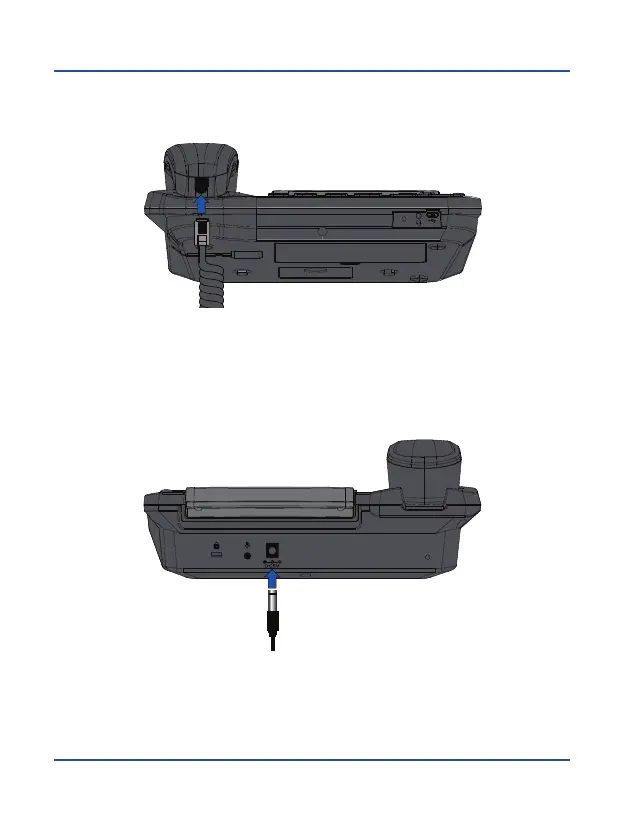
5. Connect the short end of the curly cord to the connector on the handset, as
shown in the illustration.
6. Connect power supply cable to the connector on the front of the phone and
then plug power supply into a household AC power outlet. Battery level will be
displayed on the screen showing charging process status.



 To Next Page