EasyManua.ls Logo

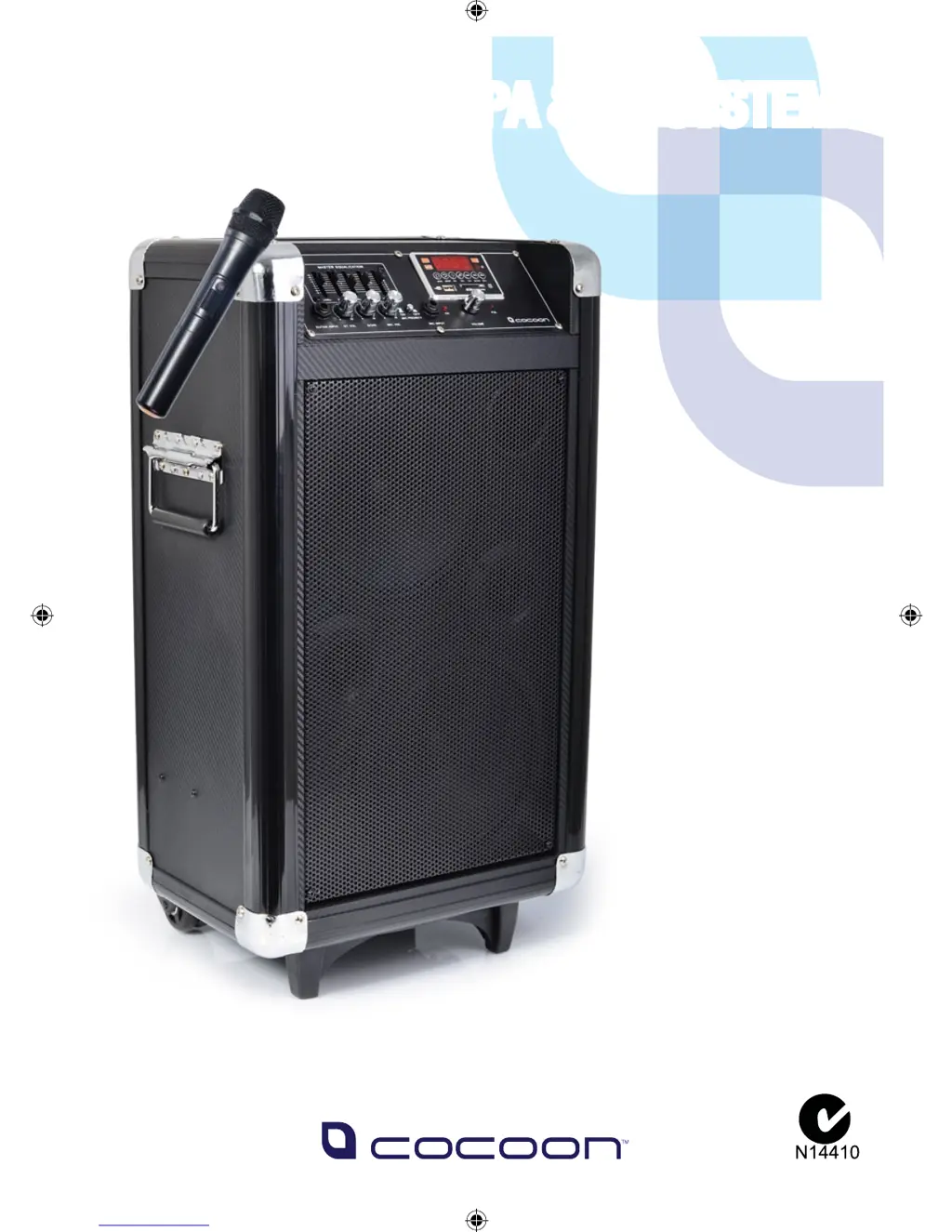
Cocoon AS43515 - User Manual

Cocoon AS43515
16 pages
Print Icon
To Next Page IconTo Next Page
Loading...
INSTRUCTION
MANUAL
Model Number: AS43515
PROFESSIONAL PA & DJ SYSTEM
With Bluetooth
PROFESSIONAL PA & DJ SYSTEM

Questions and Answers

Summary

General Safety Instructions

Product Specifications and Features

Parts List and Technical Specifications

Lists all included components and the technical details of the PA & DJ Speaker System.

Front Control Panel Overview

Details the controls, inputs, and indicators on the front of the speaker system.

Rear Panel and Microphone Features

Describes the connections on the back panel and features of the wireless microphone.

Operating Instructions

Powering On, Charging, and Wireless Microphone Setup

Steps for turning the unit on, charging the battery, and pairing the wireless microphone.

Connecting Wired Inputs and Playback Controls

Instructions for connecting wired microphones, guitars, and using playback functions.

Audio Playback Modes and Settings

Guides on using EQ presets, SD card playback, USB playback, and Bluetooth pairing.

Radio, Line Input, and External Power

Instructions for using the FM radio, line input function, and connecting external batteries.

Replacing the Fuse

Procedure for safely replacing the unit's internal fuse.

Tips & Troubleshooting

Support Information

Cocoon AS43515 Specifications

General IconGeneral
BrandCocoon
ModelAS43515
CategorySpeakers
LanguageEnglish

Related product manuals