EasyManua.ls Logo

Cocoon HE413002A - User Manual

Default Icon
12 pages
Print Icon
To Next Page IconTo Next Page
Loading...
1
After Sales Support
Telephone: 1300 663 907
Internet: www.winplus.com.au
INSTRUCTION MANUAL
Model Number: HE413002A
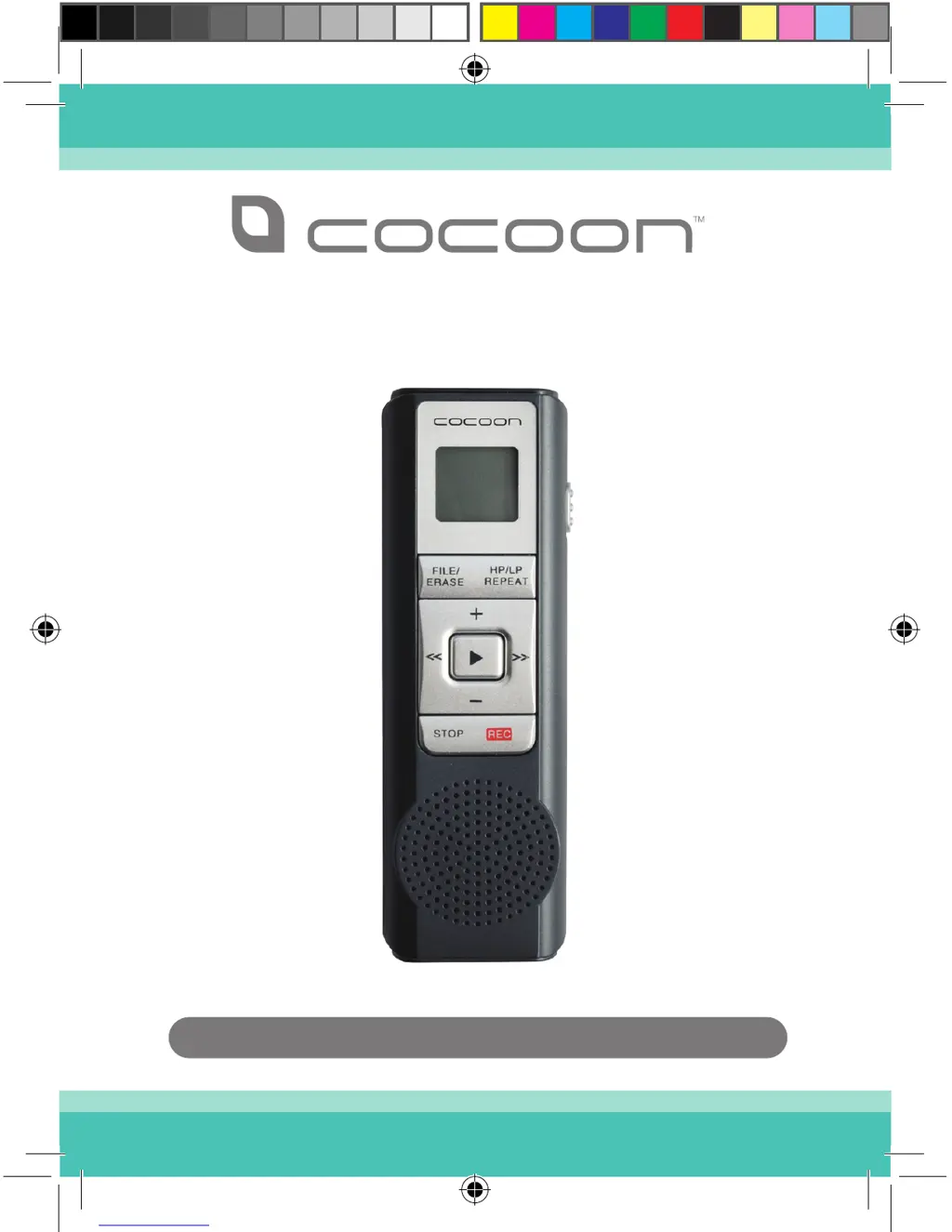
DIGITAL NOTETAKER
COMPACT AUDIO RECORDER

Questions and Answers

  • M
    matthewwalshAug 12, 2025
    What to do if I can’t hear any audio I recorded on my Cocoon Voice Recorder?
    • B
      bondpatrickAug 12, 2025
      If you can't hear the audio you've recorded on your Cocoon Voice Recorder, first, try adjusting the volume using the + or – buttons. Also, make sure you were holding the device 10-20cm away from the audio source when recording. It's also possible that the sound you were trying to record was too faint.
  • R
    Robert ShortAug 16, 2025
    How to fix Cocoon HE413002A Voice Recorder buttons that aren’t working?
    • A
      Amy BowenAug 16, 2025
      If the buttons on your Cocoon Voice Recorder aren’t working, check that the HOLD switch is in the off position.
  • M
    Michelle MorganAug 20, 2025
    How to fix Cocoon HE413002A Voice Recorder that will not turn on?
    • K
      Kristin HardyAug 20, 2025
      If your Cocoon Voice Recorder will not turn on, try replacing the batteries as they might be flat. Also, double-check that the batteries are inserted correctly, according to the markings inside the battery compartment.
  • J
    jlewisAug 25, 2025
    Can I record audio files from Cocoon HE413002A Voice Recorder to my PC?
    • S
      smithjuanAug 25, 2025
      Yes, you can connect the headphone output of your Cocoon Voice Recorder to your PC's audio input port using a 3.5mm audio cable. Then, use your preferred audio recording software to record the playback.
  • J
    Jordan StokesAug 27, 2025
    Can I use rechargeable batteries with Cocoon Voice Recorder?
    • H
      Henry BrooksAug 27, 2025
      You can use rechargeable batteries with your Cocoon Voice Recorder as long as they are DC 3V AAA.
  • D
    darrenherreraAug 31, 2025
    What to do if my Cocoon HE413002A Voice Recorder LCD display shows FL?
    • D
      Debbie WatkinsAug 31, 2025
      If the LCD display on your Cocoon Voice Recorder is showing 'FL', it means your recording folder is full. You'll need to delete some recordings.
  • C
    corey01Sep 4, 2025
    How to maximize recording time on Cocoon HE413002A?
    • J
      Jeff OrtegaSep 4, 2025
      To maximize recording time on your Cocoon Voice Recorder, make sure you have set the recording type to LP (Long Play).
  • J
    Jessica RichardsSep 8, 2025
    Why doesn’t voice activated recording pick up everything on my Cocoon HE413002A?
    • J
      James WilsonSep 8, 2025
      The first few seconds of voice activated recording on your Cocoon Voice Recorder may not be picked up because the unit is still activating the recording function.

Summary

Safety Warnings & Cautions

Introduction

Package Contents

Lists the items included in the product packaging.

Technical Specifications

Details technical parameters such as recording capacity, memory, power, and size.

Product Overview

Device Components and Display Guide

Identifies physical controls, ports, and explains the LCD display icons.

Instructions

Installing the Batteries

Step-by-step guide for inserting batteries into the device.

Turning the Digital Notetaker On;Off

Instructions on how to power the device on and off.

Setting Sound Quality

Guide to selecting between High Play (HP) and Long Play (LP) recording quality.

Setting Volume Level

How to adjust the playback volume using the device buttons.

Locking the Digital Notetaker

Instructions on using the Hold switch to prevent accidental operation.

Recording Audio

Procedure for starting and stopping audio recording on the device.

Using a Microphone

Guidance on connecting an external microphone for recording.

Using Earphones

Instructions for connecting and using earphones for audio playback.

Setting Up Voice Activated Recording

How to enable and configure the voice-activated recording feature.

Using Voice Activated Recording

Explains how voice-activated recording functions and notes for optimal use.

Selecting a File Folder

Procedure for choosing the folder to save or manage recordings.

Playback Recordings

Steps to play back recorded audio files and navigate through them.

Deleting Recordings

Instructions for deleting single recordings or all recordings in a folder.

Troubleshooting

Support and Warranty

Warranty Details

Provides information on the product's warranty period and terms.

Cocoon HE413002A Specifications

General IconGeneral
BrandCocoon
ModelHE413002A
CategoryVoice Recorder
LanguageEnglish