4
ca1153 rev a.
Activating Optional AUX 1 (Optional)
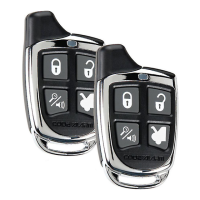
If this feature is enabled on your system, pressing the and buttons
simultaneously for 3 seconds will activate an optional feature. This feature can be
programmed for a wide range of functions like power window or sunroof automation,
please consult your installing dealer to determine the functionality of your system.
Eliminating Lock / Unlock Notication Chirps
System lock and unlock notication chirps can be toggled ON or OFF without
entering the programming feature banks.
1. Turn the ignition ON then OFF.
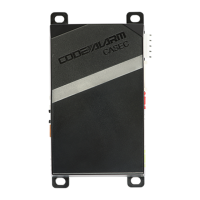
2. Press and release the valet/programming button 3 times. The system
will respond with 1 chirp for ON or 2 chirps for OFF.
Valet Mode
When valet mode is activated the status LED will light solid, and all security
functions will be disabled. To enter or exit valet mode simply follow the 4 steps
outlined below:
1. Turn the vehicle’s ignition ON.
2. Push and hold the programming/valet button.
3. The LED will turn on solid when valet mode is active
4. Release the programming/valet button.
Using the Personal Protection Alarm (Panic)
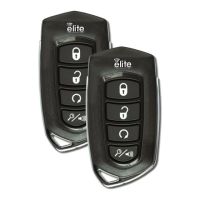
Press and hold the button for 3 seconds to activate the personal protection alarm.
During panic mode, the normal function of the transmitter buttons will be suspended. The
transmitter’s and buttons can be used to lock and unlock the door (if the option is
installed). To stop the alarm, press and hold the button on the transmitter again for 3
seconds. The system will automatically stop after 30 seconds.
Using the Progressive Car Finder Feature
Press the button to locate your vehicle. The system will ash the parking lights
and chirp 5 times at low volume, increasing in volume each time the button is pressed.



 To Next Page