22
Indication
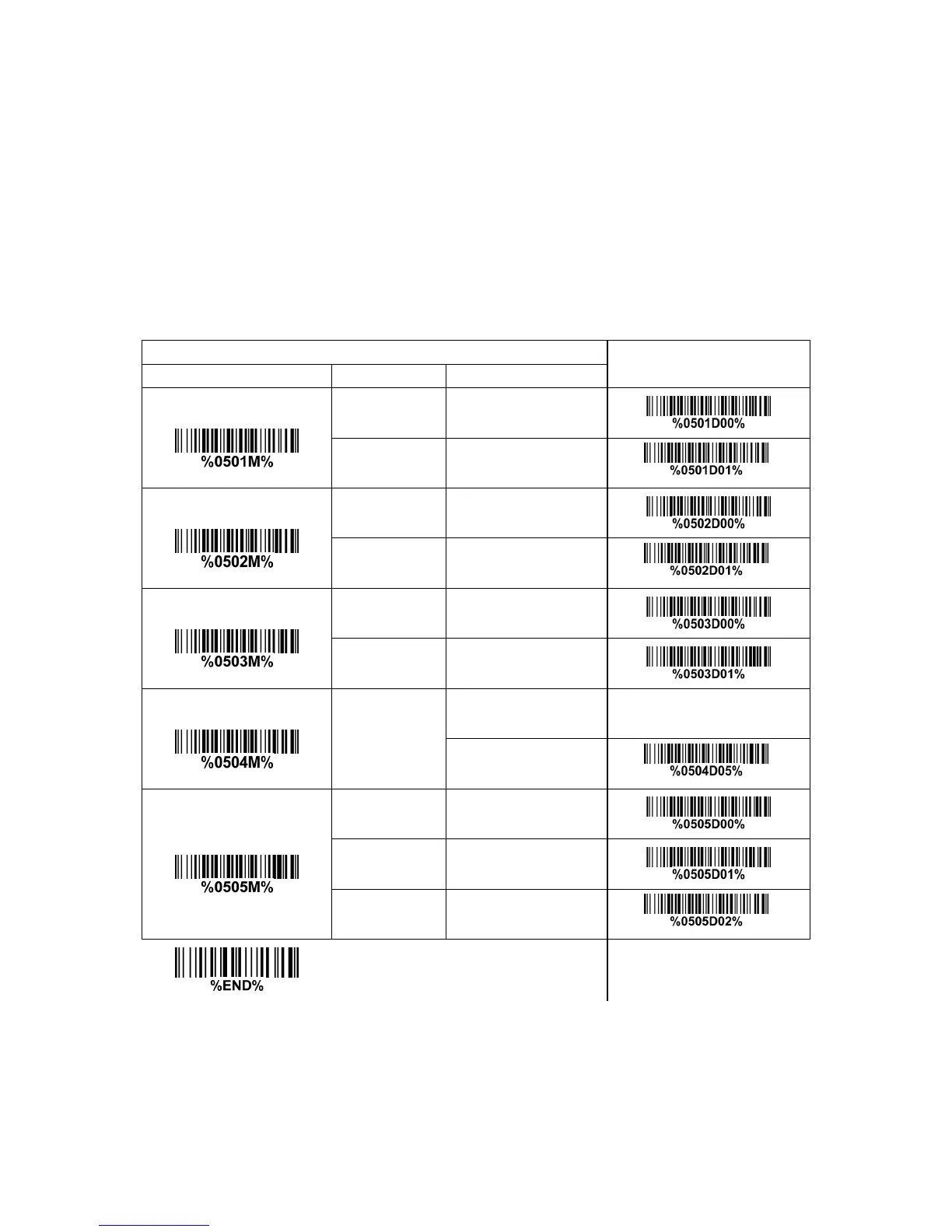
Power on alert: After power-on the scanner will generate an alert signal to indicate a successful self-test.
LED indication: After each successful reading, the LED above the scanner will light up to indicate a good
barcode reading.
Beeper indication: After each successful reading, the scanner will beep to indicate a good barcode
reading, and its beep tone duration is adjustable.
Beep tone duration: This parameter can be adjusted for a good reading upon favorite usage.
Volume of beeper: This parameter can be adjusted for different level of the volume of the beeper.
Multiple-scan setting
Option bar code Option Alpha. entry
Single-scan setting
Disable 00
Power on alert
Enable 01*
*
Disable 00
LED indication
Enable 01*
*
Disable 00
Beeper indication
Enable 01*
01-09
Beep tone duration
01-09 (10ms )
05*
*
Low 00
Middle 01
Volume of beeper
High 02*
*


 To Next Page