3
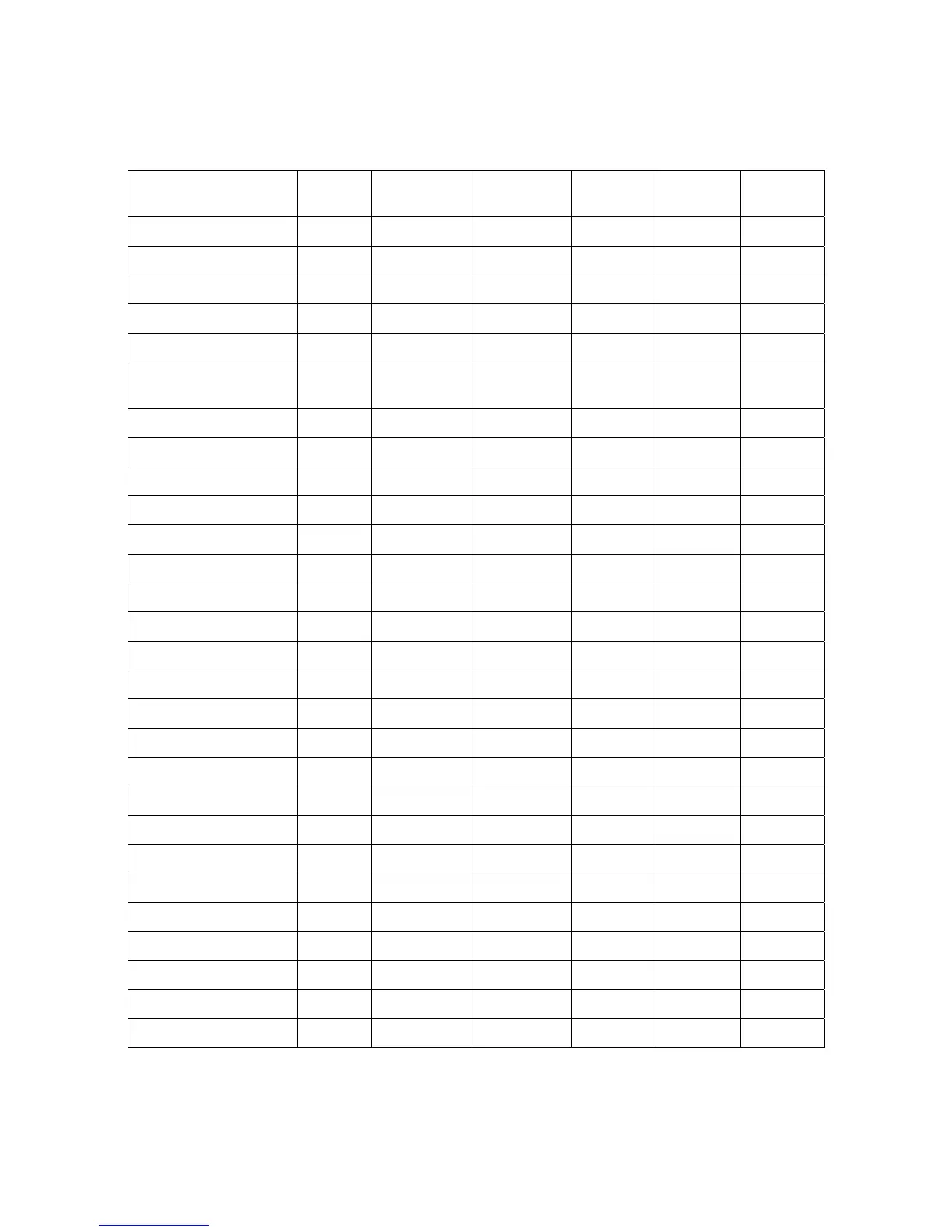
Default setting for each barcode
Table 2 Default setting for each barcode
Code type
Read
enable
Check digit
verification
Check digit
transmission
Min. code
length
Proprietary
code ID
AIM
code ID
UPC-A √ √ √ (12)
2
A ]Em
UPC-E √ √ √ (8)
2
D ]Em
UPC-E1 √ √ √ (8)
2
D ]Em
EAN-13
√ √ √ (13)
2
A ]Em
EAN-8 √ √ √ (8)
2
C ]Em
ISBN (Bookland EAN)
/ ISSN
1
√ √ √ (13)
2
B ]Em
Code 39 √ - - 1 M ]Am
Interleaved 2 of 5 √ - - 6 I ]Im
Industrial 2 of 5 - - - 4 H ]Im
Matrix 2 of 5 √ - - 6 X ]Im
Codabar √ - - 4 N ]Fm
Code 128 √ √ - 1 K ]Cm
ISBT 128 √ √ - 1 K ]Cm
Code 93 √ √ - 1 L ]Gm
Code 11 - √ - 4 V -
MSI/Plessey - - - 4 O ]Mm
UK/Plessey - √ - 1 U ]Mm
UCC/EAN 128 √ √ - 1 K ]Cm
China Post √ - - (11)
2
T ]Im
China Finance √ - - (10)
2
Y -
GS1 DataBar √ - - (16)
2
R ]em
GS1 DataBar Truncated
3
√ - - (16)
2
R ]em
GS1 DataBar Limited √ - - (16)
2
R ]em
GS1 DataBar Expanded √ - - 1 R ]em
PDF417 √ - - - - -
MicroPDF417 √ - - - - -
DataMatrix √ - - - - -
QR code √ - - - - -
Note:
1
The settings for ISBN/ISSN and EAN-13 must be the same except the code ID.
2
Fixed-length barcodes.
3
The settings for GS1 DataBar Truncated and GS1 DataBar must be the same.


 To Next Page