Mute
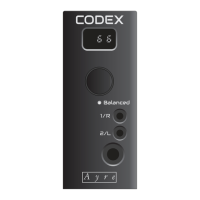
A brief press of the volume control will mute the
Codex, which is indicated by the volume level
flashing. Another brief press will return the volume
to the previously selected level.
When the Codex is muted, increasing the volume
level will also release the mute. Decreasing the
volume keeps the unit muted.
Setup Menu
There are four functions that can be controlled
through the setup menu; Input Selection, Output
Mode, Display Brightness, and Firmware Revision.
While in the setup menu, the
display will flash when an
input is required.
Pressing the volume knob for three seconds will
enter the setup menu of the Codex. Rotating the
volume knob will display the available choices.
Pressing the volume knob will select the displayed
choice and exit the menu.
Input Select (Inp)
The input select menu has two choices, USB (USb)
and optical (Opt). USB is the connection for a
computer or streamer, while optical is for a TosLink
optical cable.
12


 To Next Page