Configuring MobileID (for Administrators only) - Cogent Systems, Inc. Proprietary Information
43
•
•
•
•
•
•
Appendix A
Configuring MobileID
• • • • • •• • • • • •• • • • • •
(for Administrators only)
To configure MobileID, follow these steps:
1 Use the stylus to tap on the Start button, located on the top-left corner
of the
Pocket PC PDA screen. A drop-down menu will be displayed.
2 Select
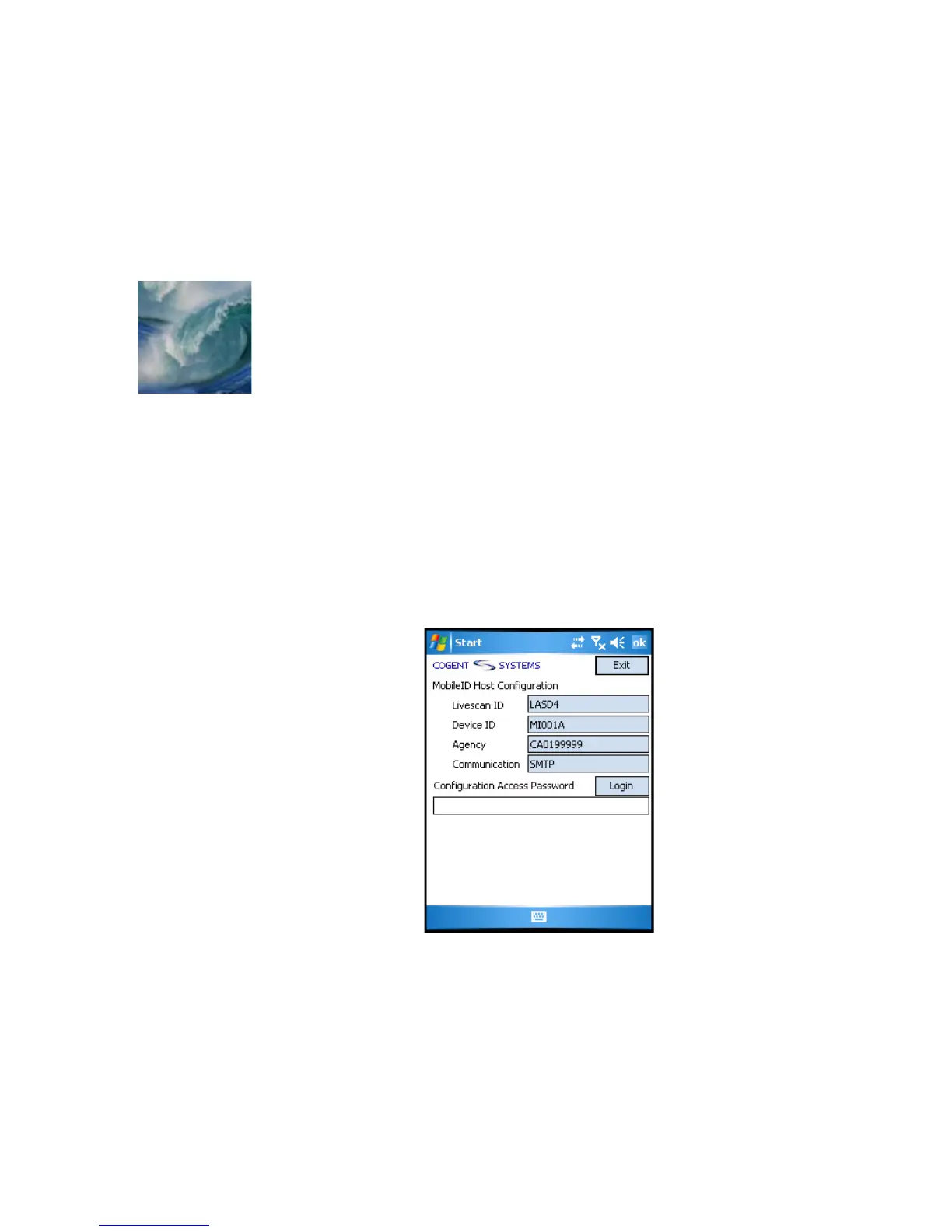
MIDConfigure from the drop-down menu. The MobileID Host
Configuration
window will be displayed, an example of which is shown
in
Figure A-1.
Figure A-1 MobileID Host Configuration Window
3 Enter the configuration access password in the Configuration Access
Password
field.



 To Next Page