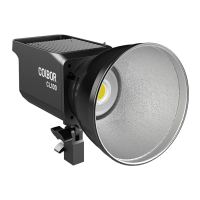
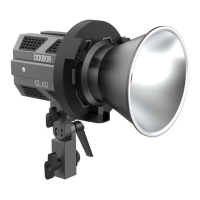
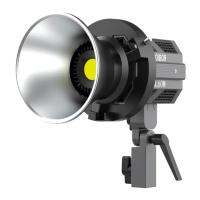
Pair the CL100 with the remote control
1. Disconnect the CL100 from the power supply and reconnect with the
electricity.
2. Point the remote control to the CL100 control panel and long press the
EFF Mode button on the remote control in 3 seconds after the power supply is
connected.
3. If they are paired, the CL100 will ash three times and display the program
version number.
4. The remote control can be used as required once paired.
Unpair the CL100 with the remote control
1. Disconnect the CL100 from the power supply and reconnect with the
electricity.
2. Point the remote control to the CL100 control panel and long press the
Overclock Mode button on the remote control in 3 seconds after the power
supply is connected.
3. If the pairing is cancelled successfully, the CL100 will ash three times.
In the case of multi-light control, all lights must be switched o before the
remote control is applied. Otherwise, the control will be out of sync.
Specications
Color Rendering Index: ≥ 97
Color Temperature Range: 2700-6500K
Beam Angle: ≈∠ 120° (With Standard Cover 55° )
Illumination: 2998Lux (at 3.28ft / 1m 6500K, None Cover); 10123Lux (at 3.28ft /
1m 6500K, With Standard Cover)
Power: 100W (Constant Power)
Light Working Voltage: DC 15-24V 6.32A
Connector: GX16 3-Pin Connector
Body Material: ABS
Light Dimension(mm): 202*116*117 (Light Base Not Included)
Light Weight: 1.1kg/39oz
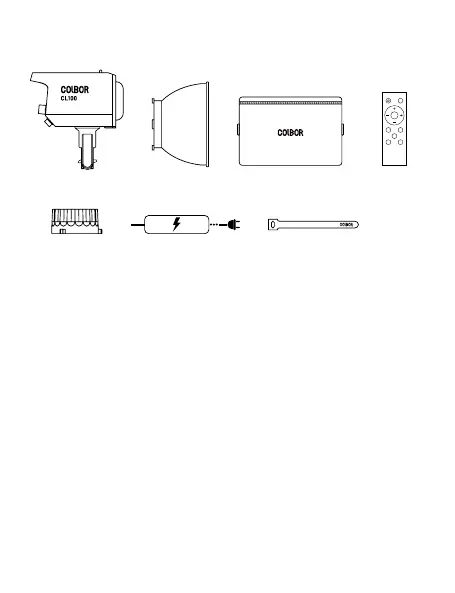
Package List
CL100 Video Light x1
Bowens Mount
Cover x1
Protective Cover x1
Remote Control
x1 (Optional)
Packing Bag x1
Velcro x2Power Adapter x1
WARRANTY
Warranty Period
Thank you for purchasing COLBOR products.
1. Customers are entitled to free replacement or repair service in case of
quality defect(s) found in the product under normal use within 30 days upon
receipt of the product.
2. Original COLBOR products are entitled to 12-month limited warranty service.
The warranty period begins on the date of purchase of brand new, unused
products by the rst end-user.
Within the warranty period, if product defect or failure is attributable to material
defection or technological problem, the defective product or defective part will
be repaired or replaced without charge (service and materials fee).
Warranty Exclusions and Limitations
1. Faults resulted from inappropriate use of a product without following its
operation specication
2. Articial damage, e.g. crash, squeeze, scratch, soaking, exposing to rain or
damp
3. Modications to a product by its user or a third party without prior written
WARRANTY CERTIFICATE
USER
INFORMATION
SALES
INFORMATION
REPAIR RECORD
RESULT
Please register your warranty. Meanwhile, you are welcomed to contact us via Email.
Customer Name:
Phone Number:
Email:
Address:
Service Date:
Technician:
Issue:
Sales Date:
Model:
Product Code:
Dealer:
Solved Unsolved Returned(Replaced)
Block 15th, No.200 Fangcun Avenue East, Liwan District, Guangzhou, China, 510000
support@colborlight.com
www.colborlight.com
Guangzhou Zhiying Technology Co., Ltd
consent of COLBOR, e.g. replacement of element or circuit, label alteration
4. The code on product is inconsistent with that of warranty certicate, or the
code on the product or warranty certicate is altered or torn o
5. All consumable accessory attached to a product, like cable, cover
6. Faults as a result of force majeure, such as re, ood, lightning, etc.
Warranty Claim Procedure
1. If failure or any problem occurs to your product after purchase, please
contact a local agent for assistance, or you can always contact COLBOR’s
customer service through email.
2. Please retain your sales receipt and warranty certicate as proof of
purchase. If any of these documents is missing, only sales return or chargeable
service will be provided.
3. If the COLBOR product is out of the warranty coverage, the service and the
parts cost will be charged.


 To Next Page
 Loading...