Weekly program parameter setting
In the auto mode, the thermostat runs automatically according to the setting parameters of the
weekly program. The weekly program parameters contain two major parameters: Schedule and
Event.
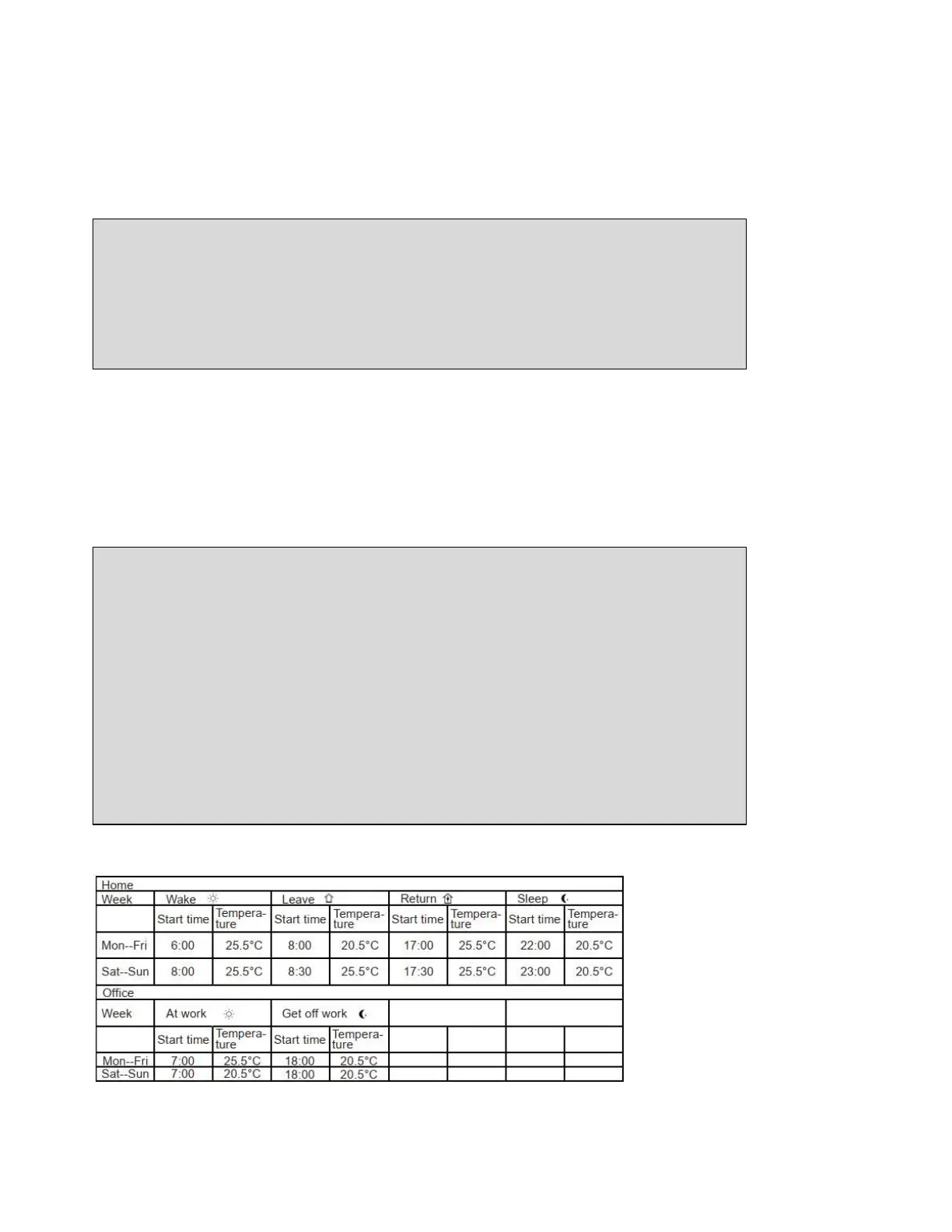
Schedule: Two schedule for a week.
5+1+1: The Event parameter is the same from Monday to Friday, with separate Event parameters
on Saturday and Sunday.
7: Separate Event parameters every day
Event: Home
• when I wake up in the morning
• when I am away at work
• when I come home
• and at night
Event: Office
• When I am at office
• When I get off work
Temperature in each event can be set
Note: Press several times to get back to active display.
Event: Factory Settings for Event
Schedule setting:
With Active display, press OK button. The MODE option flashes.
Press▲or▼button to get Schedule.
Press OK button to enter.
Press
▲or▼button to set.
Press OK button to confirm.
Press OK button to come back to Active display.
To do so:
With Active display, press OK button Mode option flashes.
Press
▲or▼ button to get Event.
Press OK button to get week.
Press
▲or▼ button to get the day.
Press OK button to enter event.
Press▲or▼ button to set the parameters in that event.
Press OK button to set the temperature for this phase.
Press
▲or▼ button to set the temperature.
Press OK button to set the hour that the temperature start.
Press▲or▼ button to set hour.
Press OK button to set the Minutes that the temperature start.
Press
▲or▼ button to set minutes.
Press OK button to come back to this phase.


 To Next Page