2. First Use
1.1
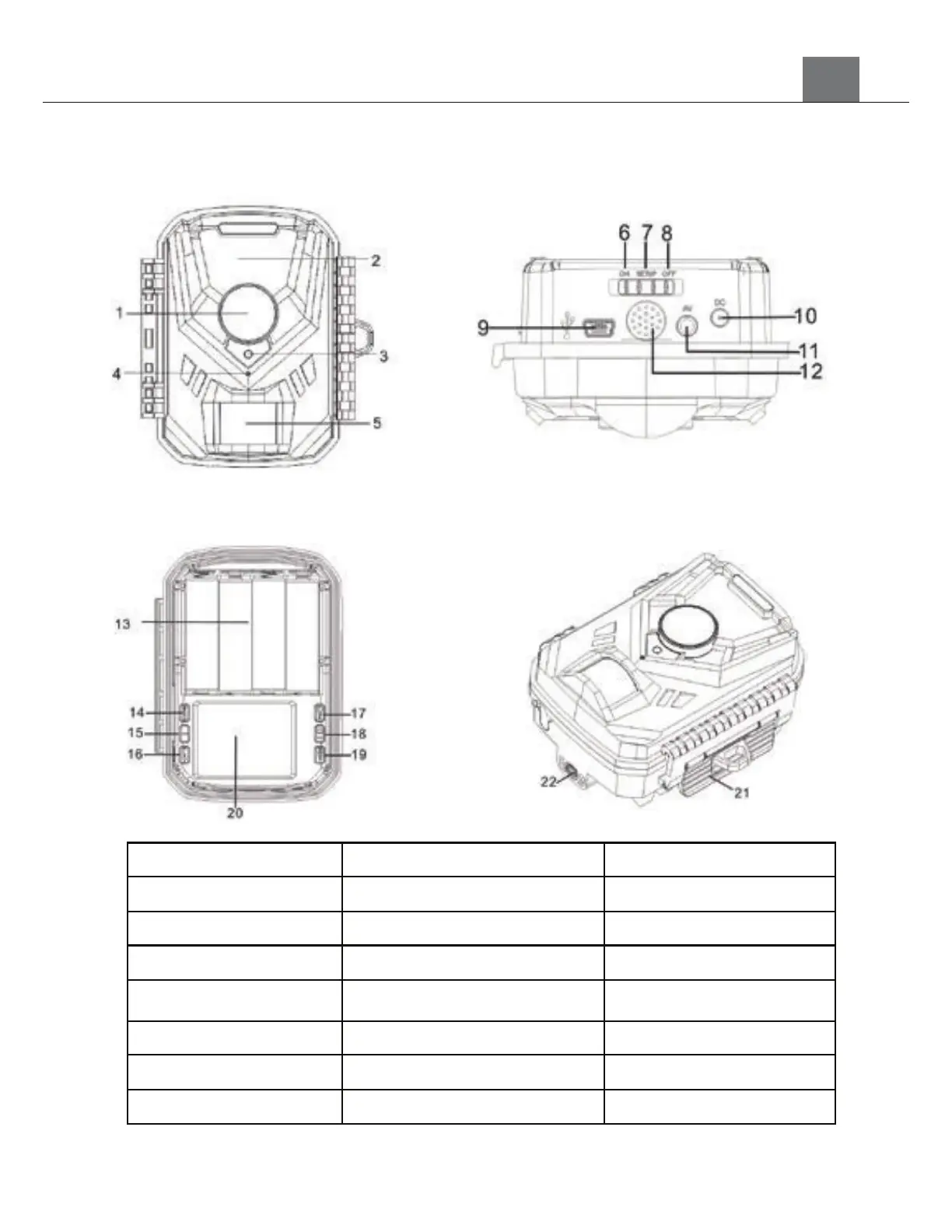
Camera Interface
1) Lens 9) USB Jack 17) OK/Video Button
2) Infrared LEDs 10) DC Jack 18) Right/Photo Button
3) Indicator Light 11) AV Jack 19) Record Button
4) MIC 12) Speaker 20) LCD Screen
5) PIR Motion Sensor 13) Battery Compartment 21) Latch
6) On Position 14) Menu Button 22) Bracket Mount
7) Setup Position 15) Left Button
8) Off Position 16) Replay Button
[Front View]
[Bottom View]
[Inside View]
[Isometric View]


 To Next Page