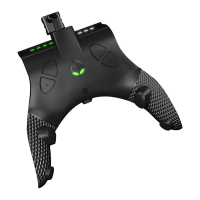
PRESS the following D-Pad sequence: ← ← ↑ →. From top to
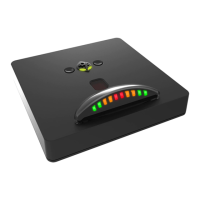
bottom, the Switch Up
TM
will light up a GREEN Player LED as
you enter the 4 button code. If you have begun entering the
wrong code, wait for the Player LED's to shut off, and try again.
Once you have entered the code correctly, all 4 Player LED's
will be flashing GREEN in sync. If you have entered the code
incorrectly, the Mode Select LED will light up YELLOW for a
few seconds, and then you can try again.
PRESS UP D-Pad to toggle ON Bowser Coin Generator. The
Mode Select LED will now flash in sync with the 4 GREEN
Player LED’s. The generator will run endlessly, earning coins
until you turn it OFF.
PRESS MINUS button (XB: VIEW / PS: SHARE) to toggle OFF
Bowser Coin Generator when you are done. The Mode Select
LED will stop flashing and the 4 Player LED’s will shut off. You
will be able to control your game again.
BOWSER COIN/MOON GENERATOR
Bowser Coin/Moon Generator is available in “Bowser’s Kingdom”, after you have met
the requirement of unlocking the “Beneath the Keep” checkpoint, defeating the
“RoboBrood” boss and finally, collecting the “Dashing Above the Clouds” moon. You
can view the video for collecting the required moon at https://youtu.be/dm3NaQULY3Q.
IMPORTANT NOTES: Rumble MUST be set to ON
(you will not actually experience
rumble while the generator is running).
The difference between this coin generator and the other Bowser coin generator, is that
with this one, after collecting 9000 coins, Mario will go to the store, spending all 9000
coins on purchasing moons, before returning back to generating coins again and
repeating the process.
To exit the map screen, ALWAYS exit using the face buttons and NOT the MINUS button
as this will cancel the battle.


 To Next Page
 Loading...