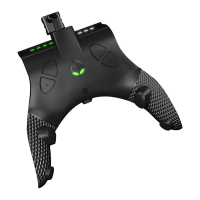
AUTO BOSS BATTLE
Use the Auto Boss Battle mod to end the frustration of getting stuck on bosses.
Follow the instructions and simply enter the code to beat the boss for you!
Rumble MUST be set to ON
(you will not actually experience rumble while Auto Boss
Battle is running).
Step 1: ENTER MENU MODE - HOLD the MINUS button (XB: VIEW / PS: SHARE) until the
Mode Select LED turns WHITE. Proceed to RELEASE the MINUS button (XB: VIEW / PS:
SHARE).
Step 2: From Menu Mode, you can now enter the specific code in sequence for the boss
you are about to face.
Step 3: As you are entering the 4 button code, from top to bottom, the Switch Up
TM
will
light up a GREEN Player LED for each of the 4 buttons. Once you have entered the code
correctly, all 4 Player LED’s will be flashing GREEN in sync. If you have begun entering
the wrong code, wait for the Player LED's to shut off, and try again, and if you have
entered the code incorrectly, the Mode Select LED will light up YELLOW for a few
seconds, and then you can try again.
Step 4: At this point you MUST be standing in the correct location for the boss you
desire to beat. The table below displays a video link for each boss, specifically showing
you how. Once you are in the correct location, PRESS the UP D-Pad to start the boss
fight. NOTE: To exit the map screen, ALWAYS exit using the face buttons and NOT the
MINUS button as this will cancel the battle.
IMPORTANT NOTES:
Due to the randomness of the in game physics, bosses will NOT
always be beaten on the first attempt, and
★ bosses will NEVER be beaten on the first
attempt, while
♥ bosses REQUIRE 6 hearts to beat.
For Boss 8 Bowser, do
NOT
go into Mario’s ship when you are in “Cloud Kingdom”,
because this will reset the spawn point of Mario and the boss fight will fail to succeed
when activated. If you have accidentally done this, the solution is to PRESS the HOME
button and close the software. Once closed, select the change user button, then pick


 To Next Page
 Loading...