Hyper-Threading
Open or close Hyper-Threading. Options: Disabled, Enabled.
Voltage Optimization
Set CPU voltage optimization. Options: Disabled, Enabled, Auto.
SATA And RST Configuration (SATA settings)
SATA Controller (S)
Open or close the SATA controller. Options: Enabled, Disabled.
SATA Mode Selection
Set up the SATA controller working mode. Options AHCI、Intel RST Premium
With Intel Optane System Acceleration.
SATA Controller Speed
Set the speed of the SATA controller. Options: Default, Gen1, Gen2, Gen3.
SATA Port1-4
This option displays the connection status of the SATA1-4.
ACPI Settings (advanced configuration of ACPI)
Enable ACPI Auto Configuration
Set the ACPI auto configuration. If you open this option, ACPI will open all
supported sleep modes. If you close this option, you will play the following
options.
Enable Hibernation
Opening or closing the operating system's sleep function. This option is only
valid for a part of the operating system.
These Lock legacy Resources
ACPI Sleep State
Select the standby mode under OS. Options: Suspend Disabled, S3 (Suspend
to RAM).
RTC Wake
Set up the system wake-up. Options: Disabled, Fixed Time (timing), Dynamic
Time (dynamic time). When the "Fixed Time" is selected, the setting of the
specific wake-up time will be popped. In the format of hours / minutes /
seconds. The reasonable scope of each project is: Hour/ (0-23), Minute/
(0-59), Second/ sec (0-59).
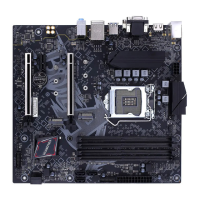
战斧 B365M-HD PRO V21/BATTLE-AX B365M-HD PRO V21
48








 To Next Page