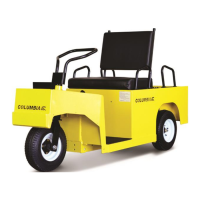
EasyManua.ls Logo

Columbia Expediter - User Manual

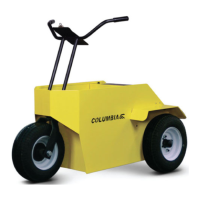
Columbia Expediter
32 pages
Print Icon
To Next Page IconTo Next Page
Loading...
PN 709447-05
7/2016
2017
Model
EX-21
Expediter
Owner and Operator Manual
Question and Answer IconNeed help?

Do you have a question about the Columbia Expediter and is the answer not in the manual?

Summary

SAFETY MESSAGES

DANGER

Hazardous situation resulting in death or serious injury if not avoided.

WARNING

Hazardous situation resulting in death or serious injury if not avoided.

CAUTION

Hazardous situation resulting in minor or moderate injury if not avoided.

GETTING STARTED

SAFETY GUIDELINES

Guidelines for safe operation of the vehicle.

VEHICLE SAFETY STATEMENTS

DANGER - Storm Hazards

Vehicle offers no protection from lightning or storm hazards. Operate with caution in storms.

CAUTION - Modifications

Use only genuine Columbia parts. Modifications require manufacturer approval.

OPERATING WARNINGS

General Operation Warnings

Specific warnings about vehicle operation, maintenance, and safety precautions.

OPERATIONS AND CONTROLS

KEYSWITCH

Controls power to the vehicle and conserves battery energy when off.

DIRECTION SWITCH

Selects forward, reverse, or neutral direction for vehicle movement.

ACCELERATOR PEDAL

Controls vehicle speed, must be fully released when changing directions.

BRAKE PEDAL; PARKING BRAKE

Slows or stops the vehicle and engages the parking brake.

VEHICLE OPERATING INSTRUCTIONS

DRIVING THE VEHICLE

Rules and precautions for operating the vehicle safely.

STEERING

Explanation of the three types of steering mechanisms used on the vehicles.

ELECTRICAL SYSTEM

Battery Acid Hazards

Warnings about battery acid hazards and antidotes.

Electrical System Hazards

Warnings about electrical hazards when working near batteries and charging systems.

BATTERY INSPECTION & MAINTENANCE

BATTERY CHARGING

Connecting the Charger

Connect charger to a grounded 120V AC supply with a minimum 20 amp outlet.

Charger Operation and LED Indicators

Charger self-tests, applies trickle charge, and indicates status via remote LED.

Handling Excessively Discharged Batteries

Special charging procedures are needed if batteries are excessively discharged.

RED LIGHT CHARGER ERROR CODES

Flash Codes Interpretation

Explains various flash codes indicating battery voltage, timeout, or charger faults.

EXCESSIVELY DISCHARGED BATTERIES

Battery Inspection for Discharge

Charger cannot charge dead batteries; check for internal faults or damage from prolonged discharge.

Trickle Charging Discharged Batteries

Recharge discharged batteries with a trickle charger; follow specific instructions for reconnection.

LIFTING INSTRUCTIONS

Lifting Safety Warning

Warning about vehicle instability when raised; use care to prevent tipping or rollover.

BRAKE PEDAL

Brake System Safety

Do not use vehicle if brake free travel or stopping action is questionable; contact dealer.

VEHICLE TROUBLESHOOTING

Will Not Move Troubleshooting

Check keyswitch, direction selector, battery connections, and motor for issues.

Runs Slow Troubleshooting

Check battery status, brakes dragging, tire pressure, and wheel binding.

CONTROLLER TROUBLESHOOTING

Controller LED Diagnostic Light

Green LED on controller and dash indicates system status and faults.

2 Flash Fault (Start-up Sequence)

Indicates start-up sequence fault; check direction selector, parking brake, and accelerator position.

7 Flash Fault (Voltage Issue)

Indicates high/low voltage; check speed on declines and battery voltage.

Summary

SAFETY MESSAGES

DANGER

Hazardous situation resulting in death or serious injury if not avoided.

WARNING

Hazardous situation resulting in death or serious injury if not avoided.

CAUTION

Hazardous situation resulting in minor or moderate injury if not avoided.

GETTING STARTED

SAFETY GUIDELINES

Guidelines for safe operation of the vehicle.

VEHICLE SAFETY STATEMENTS

DANGER - Storm Hazards

Vehicle offers no protection from lightning or storm hazards. Operate with caution in storms.

CAUTION - Modifications

Use only genuine Columbia parts. Modifications require manufacturer approval.

OPERATING WARNINGS

General Operation Warnings

Specific warnings about vehicle operation, maintenance, and safety precautions.

OPERATIONS AND CONTROLS

KEYSWITCH

Controls power to the vehicle and conserves battery energy when off.

DIRECTION SWITCH

Selects forward, reverse, or neutral direction for vehicle movement.

ACCELERATOR PEDAL

Controls vehicle speed, must be fully released when changing directions.

BRAKE PEDAL; PARKING BRAKE

Slows or stops the vehicle and engages the parking brake.

VEHICLE OPERATING INSTRUCTIONS

DRIVING THE VEHICLE

Rules and precautions for operating the vehicle safely.

STEERING

Explanation of the three types of steering mechanisms used on the vehicles.

ELECTRICAL SYSTEM

Battery Acid Hazards

Warnings about battery acid hazards and antidotes.

Electrical System Hazards

Warnings about electrical hazards when working near batteries and charging systems.

BATTERY INSPECTION & MAINTENANCE

BATTERY CHARGING

Connecting the Charger

Connect charger to a grounded 120V AC supply with a minimum 20 amp outlet.

Charger Operation and LED Indicators

Charger self-tests, applies trickle charge, and indicates status via remote LED.

Handling Excessively Discharged Batteries

Special charging procedures are needed if batteries are excessively discharged.

RED LIGHT CHARGER ERROR CODES

Flash Codes Interpretation

Explains various flash codes indicating battery voltage, timeout, or charger faults.

EXCESSIVELY DISCHARGED BATTERIES

Battery Inspection for Discharge

Charger cannot charge dead batteries; check for internal faults or damage from prolonged discharge.

Trickle Charging Discharged Batteries

Recharge discharged batteries with a trickle charger; follow specific instructions for reconnection.

LIFTING INSTRUCTIONS

Lifting Safety Warning

Warning about vehicle instability when raised; use care to prevent tipping or rollover.

BRAKE PEDAL

Brake System Safety

Do not use vehicle if brake free travel or stopping action is questionable; contact dealer.

VEHICLE TROUBLESHOOTING

Will Not Move Troubleshooting

Check keyswitch, direction selector, battery connections, and motor for issues.

Runs Slow Troubleshooting

Check battery status, brakes dragging, tire pressure, and wheel binding.

CONTROLLER TROUBLESHOOTING

Controller LED Diagnostic Light

Green LED on controller and dash indicates system status and faults.

2 Flash Fault (Start-up Sequence)

Indicates start-up sequence fault; check direction selector, parking brake, and accelerator position.

7 Flash Fault (Voltage Issue)

Indicates high/low voltage; check speed on declines and battery voltage.

Columbia Expediter Specifications

General IconGeneral
BrandColumbia
ModelExpediter
CategoryElectric Vehicles
LanguageEnglish

Related product manuals