7
6. Install the xCam2 .
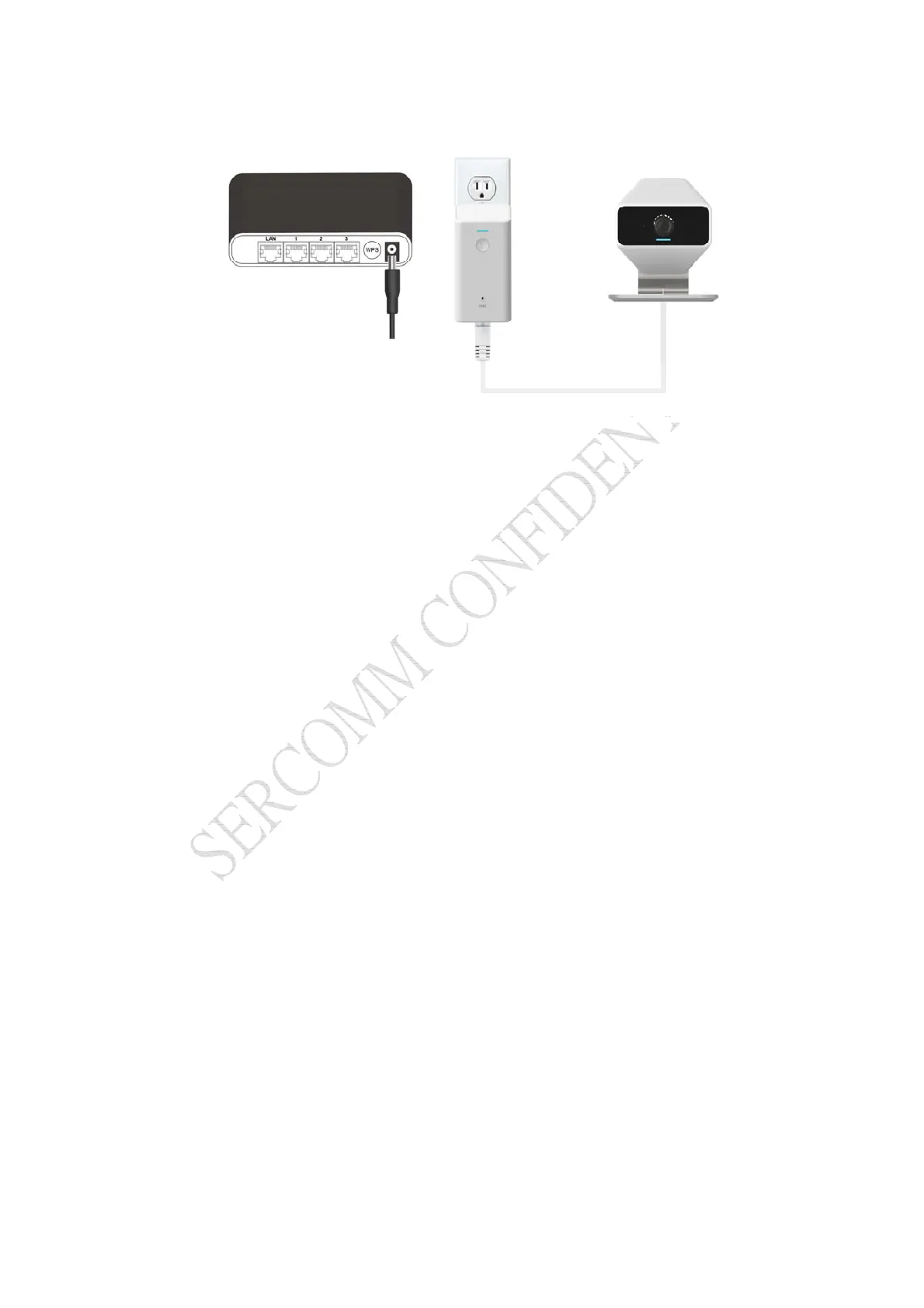
Figure 3: Camera Installation
a. Connect the customize PoE cable of xCam2 to the XW4.
b. Plug XW4 in AC source (110-120V only).
c. Press WPS button to connect to the XW4 and the Home Gateway.
d. Check and make sure that the Power LED is on.
7
.
Click "Next" button. The Touch Panel will start adding the xCam2 .
8. Click "Accept" button.
9. Click "Next" button.
10. Enter the required data for the device. Click "Next".
11. Adjust the xCam2 , if required. Click "Next".
12. Click "Verify Camera" button. Then click "Next".
13. Click on "Cameras" on the main screen.
14. Now you can see the live stream in the touch panel. Setup is now complete.



 To Next Page