19
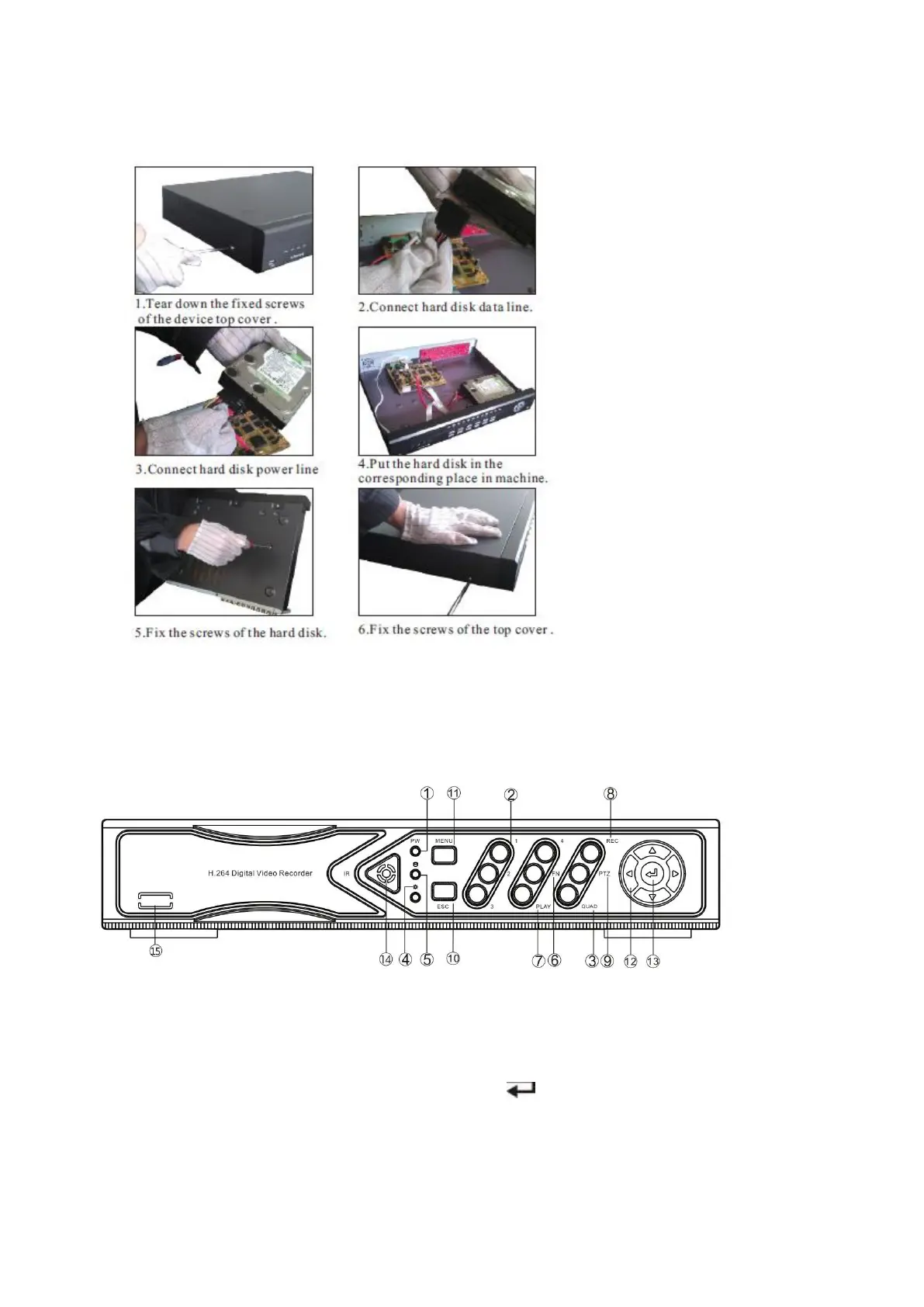
HDD Installation
Make sure to install the HDD when you first use it.
Panels Description
1. POWER led 9. PTZ: PTZ key
2. 1 ~ 4: CH1 ~ CH4 Single-Screen keys 10. ESC: Exit key
3. QUAD key 11. MENU: Menu key
4. State led, reserved 12. ▲▼◄►: Direction key
5. HDD led 13. : Confirm key
6. FN Switch 14. IR receiver
7. PLAY: Playback key 15. N.C.
8. REC: Manual recording key
Art. AHDVR040B, AHDVR042B, AHDVR043A, AHDVR045A front panel description



 To Next Page