17
Logout: apply for logging users. After logout, if you want to use the device again, need to login
again
Reboot: it will reboot after "OK".
Shutdown: shutdown the NVR
Esee Operation Instruction
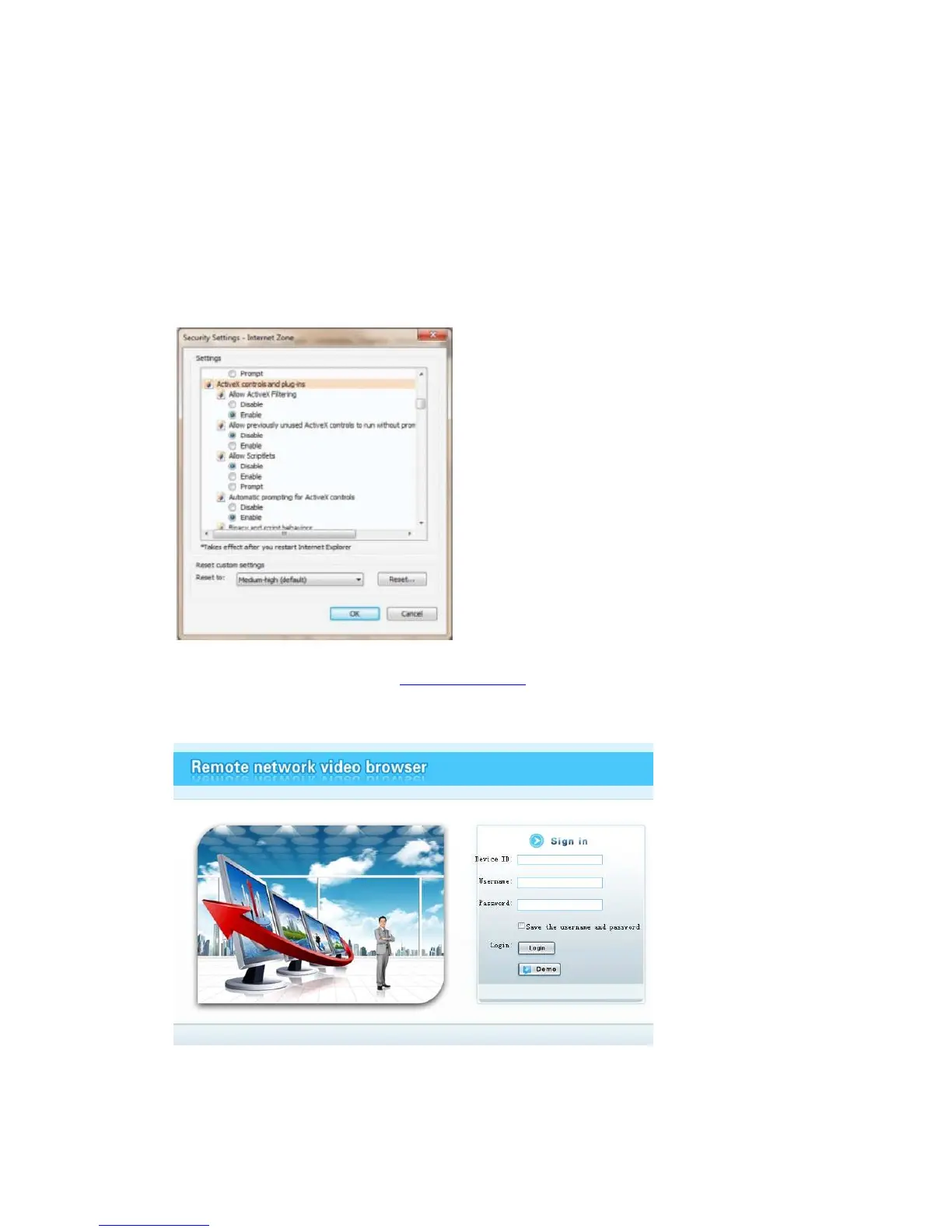
Do the following setup before you log in Esee on pc
If use it for the first time and the browser can't load, then need to make the following setting, Intemet
options-> safety-Intemet-> custom options-> pick Actice X and plugin all for opening, click ok.
Login: open IE browser and input www.dvrskype.com, enter in webpage. Look at following picture,
input Device ID (Esee), Username and Password. The username and the password are same of the
NVR login Username and Password. Click the Login button
Video monitoring homepage:
Monitoring homepage including: preview window, PTZ control,preview, stream selection, channel
opening, setting, playback, user logout, as below :



 To Next Page