6
Preview mode: select corresponding preview mode in the menu column.
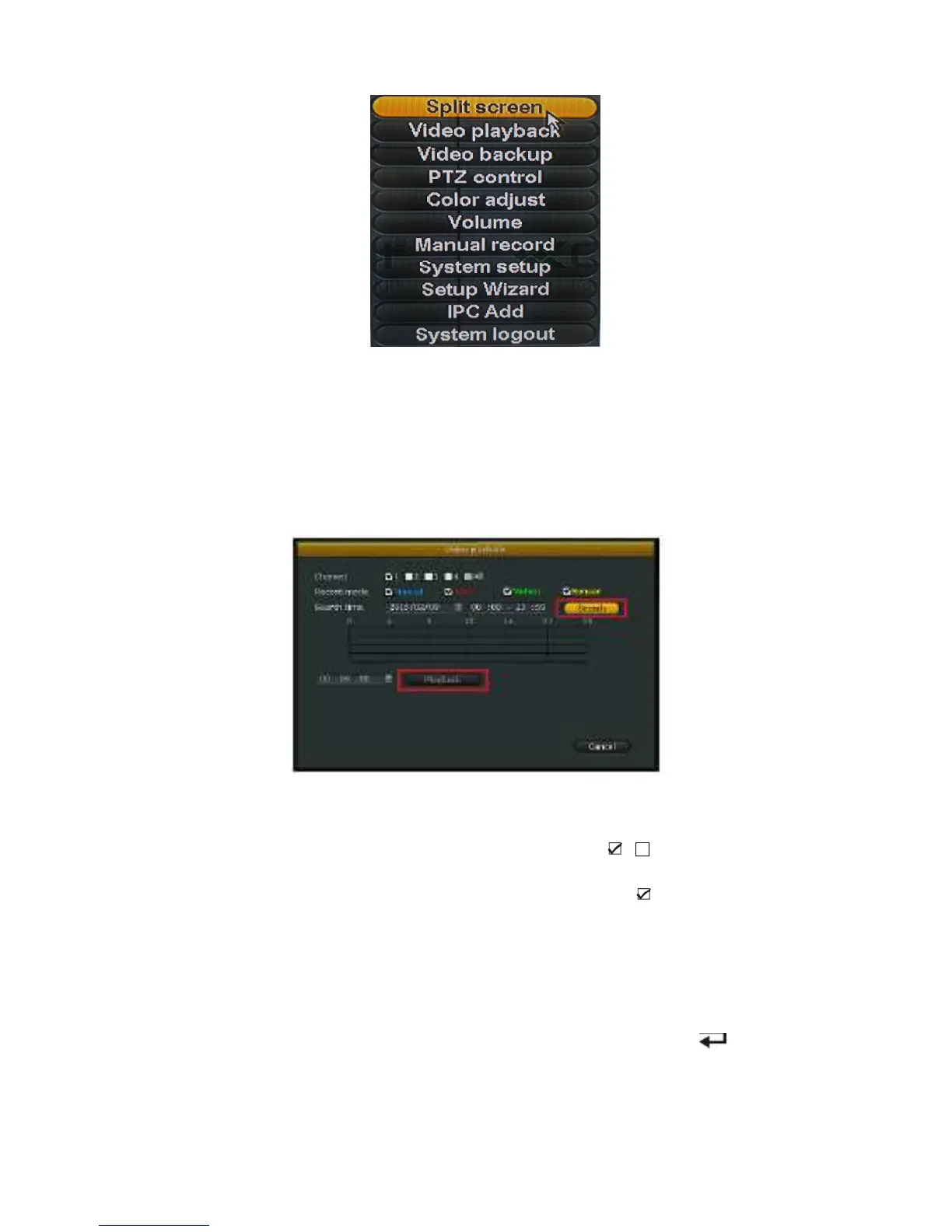
Shortcut menu: in menu column, there are: split screen, video playback, video backup, manual
record, PTZ control, volume, setup, shutdown. User could enter the corresponding
menu preview mode.
Setup menu: including video playback, video backup, system setup, system tools, system info,
system logout.
Video Playback
Click "System setup" menu and turn into "video playback" interface.
Video Search
Channel:to choose the target channel by clicking the check box means non-selected.
Record mode:to choose the recode mode by clicking the check box
Search time:input the starting and finishing time into edit box
.
Search:after setup the above search condition, click "search" to begin the corresponding video file
searching and show the files. Red means time recording, green means MD recording,
yellow means sensor recording.
Playback: chose playback and turn into playback interface. In the search list box, choose the time
bucket according up ,down, left ,right key or move the mouse. Click 【 】or left mouse
to enter "video playback "Interface
Cancel:back to previous menu



 To Next Page