P.5
●
Setting the Auto Power Off Time
■
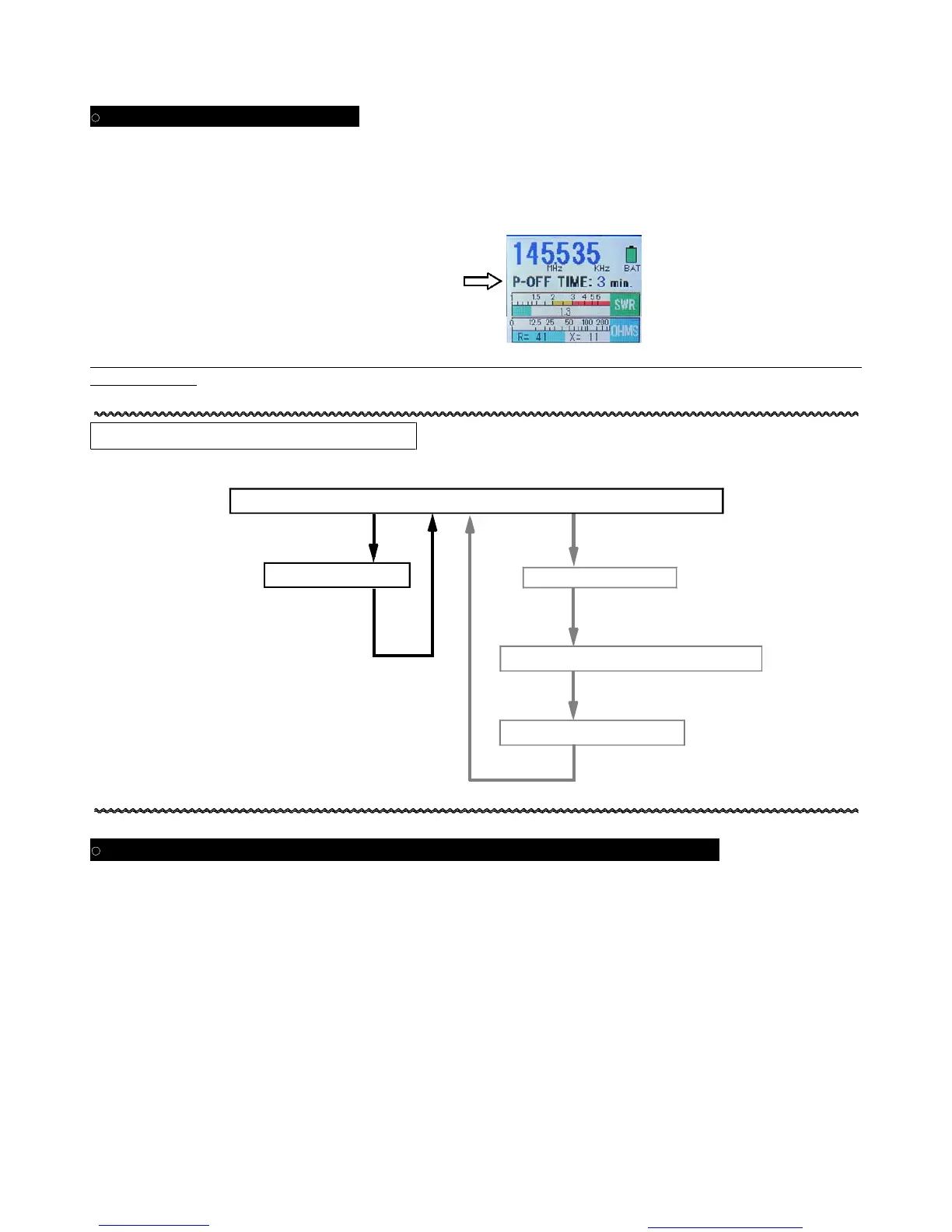
This procedure sets the Auto Power Off timer, to preserve battery life after meter inactivity.
In the Normal mode, press and hold in the A.P.OFF button for more than three seconds; the currently-set Auto Power
Off time will be shown on the display (factory default: 5 min.). Rotate the BAND knob to change the timer in
one-minute increments (0 – 9 min.). When done, press the A.P.OFF button momentarily.
●
If the timer is set to 0 minutes, the Auto Power Off function will be disabled.
●
When power is turned off, this setting will be saved.
・
Note that the meter will consider frequency change of less than 3% to be “inactivity” when counting down the Auto
Power Off timer.
Quick-Reference Operation Chart
Power ON
●
Regarding the Charging and Use of Nickel-Metal Hydride (Ni-MH) Batteries
・
This meter can be used either with alkaline or Ni-MH rechargeable batteries.
・
If using Ni-MH batteries, they may be trickle charged inside the case.
・
To trickle charge Ni-MH batteries, you must set the small slide switch inside the case (near the battery
holder) to the CHARGEON position. A small flat screwdriver is ideal for this purpose.
■
When the battery level indicator changes from yellow to red, apply 12-14V DCto the DC IN jack to trickle charge the
Ni-MH batteries. A full charge takes about 14-15 hours. Wait until the battery indicator shows yellow or red before
charging, to avoid “charge memory” effect.
■
Charging of Ni-MH cells can be done with as little as 11V DC, but it may take several dozen hours to achieve a full
charge. If the DC voltage is above 14V, the batteries may charge, but their lifetime will be shortened.
・
Trickle charging will occur, regardless of the setting of the meter’s main Power On/Off Switch, if 12-14V DC is present
at the DCIN jack.
・
The trickle charge current is very low, but we recommend that you turn off and disconnect the DC power source used
for charging if you will be away from the unit for a long time.
Rotate the BAND knob to
change the APO time.
SWR & Resonant Frequency Measurement Mode (Normal Mode)
GRAPH ON/OFF Button
SWEEP/CENTER Button
Auto Sweep Mode
Manual Plot Mode
SWEEP/CENTER Button
GRAPH ON/OFF Button
Set Center Frequency & Bandwidth
Confirm w/A.P. Off Button
Turn FREQ Knob to Plot
GRAPH ON/OFF Button
You created this PDF from an application that is not licensed to print to novaPDF printer (http://www.novapdf.com)


 To Next Page